ProMinent
®
Page 9
Controller
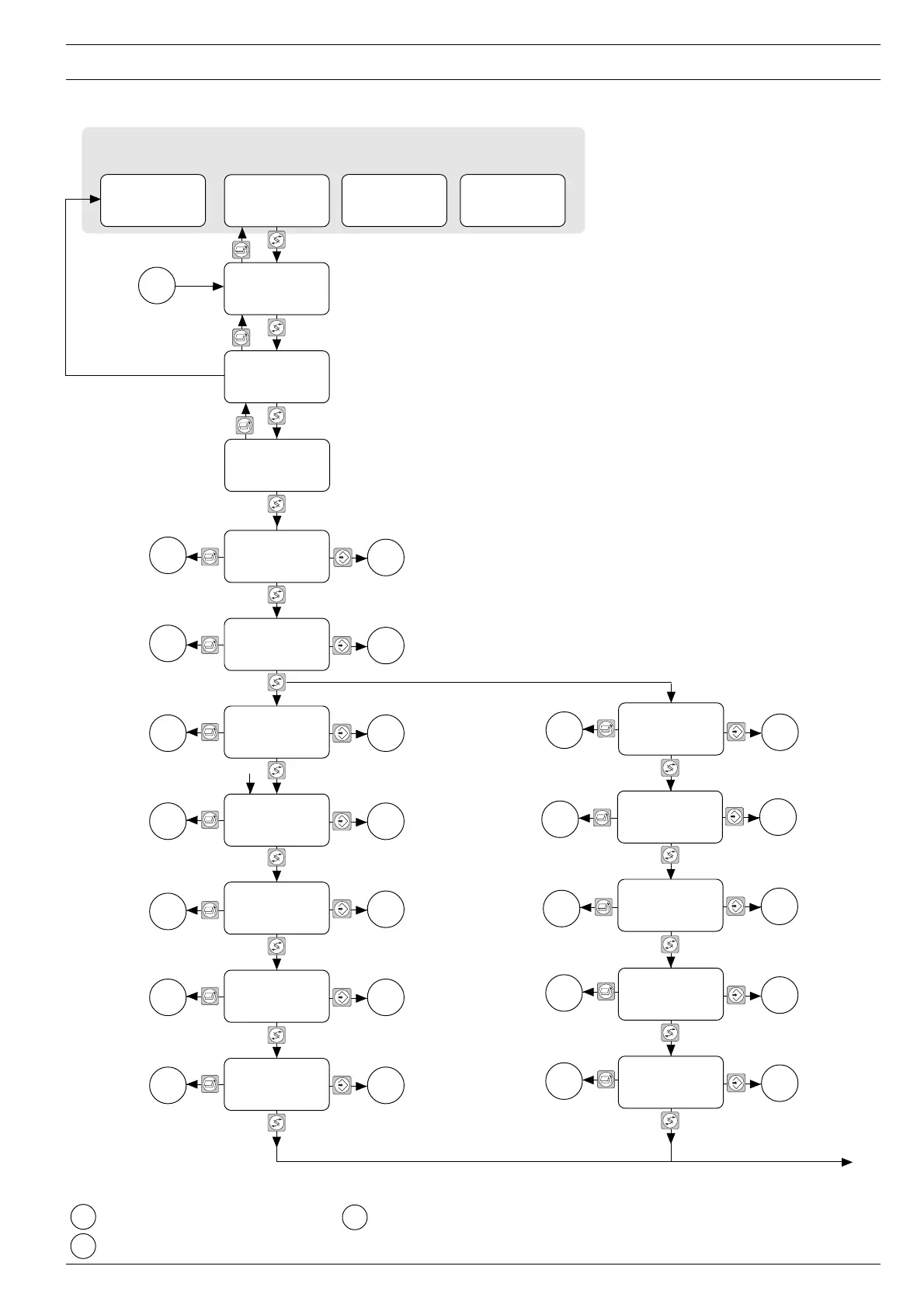
4.3 Operating Status Display and Parameter Setting
Control manual
Setpoint = xxx %
Safety threshold
-xx [%]
below setpoint
Warning threshold
-xx [%]
below setpoint
100 %
Perfor. xx,x KW
Temp xx °C
only systems with anelectrical ballast
Control off Control on
xxx %
Cal.-Faktor =
x,xxx
Time x:xx m
Sensor signal
displayed
in: x
100 %
Runtime xxx h
Turn-ons xxx mal
Lamp perfor. xx.x kW
(min. x.x kW)
(max. x.x kW)
Jumps to “Change Access code” mode
Returns to trend display automatically Jumps to programming mode
Standard-Displays
C
A
xxx %
Cal.-Faktor =
x,xxx
Time x:xx m
Sensor signal
displayed
in: x
100 %
Current x,x A
Temp xx °C
Operating mode
Control on
Display appears only in
manual control mode
B
only systems with a
conventional ballast
This display can only be changed if
system is switched on
Returns to standard display
automatically
Display appears only when
system is running
This display can only be changed if
system is switched on
Display appears only when
system is running
This display can only be changed
if system is switched on
Display appears only when
system is running
This display can only be changed
if system is switched on


 To Next Page