ProMinent
®
Page 8
Controller
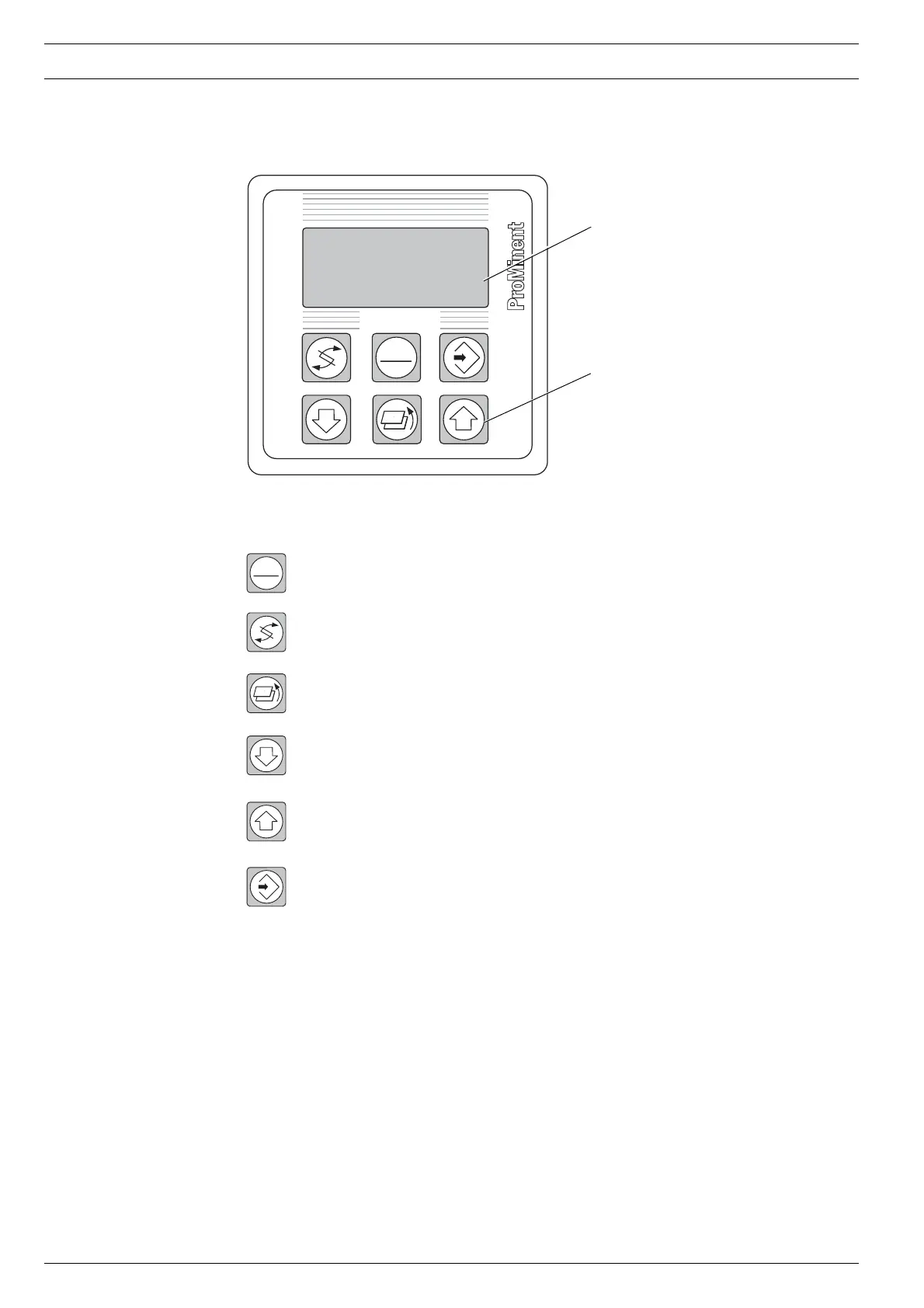
4.2 Function Keys
Graphical display
Function keys
Fig. 1: Display and control unit
STOP
START
START/STOP Switches the UV system on and off
CHANGE In operating mode: changes the display window
In programming mode: changes the parameter to be set
BACK Returns to the previous level in the menu
DOWN In programming mode: reduces the numerical value displayed
and changes a setting
UP In programming mode: increases the numerical value displayed
and changes a setting
ENTER In operating mode: changes to programming mode, triggers
an attempt to ignite the lamp during the
cooling period and acknowledges a fault
In programming mode: sets a value or status
NOTE
• Keep the START/STOP key depressed for at least 2 seconds each time.
• If none of the keys are pressed for 5 minutes, the display returns to the normal
operating status display automatically.
DULCODES
®
STOP
START
System
Off


 To Next Page