P
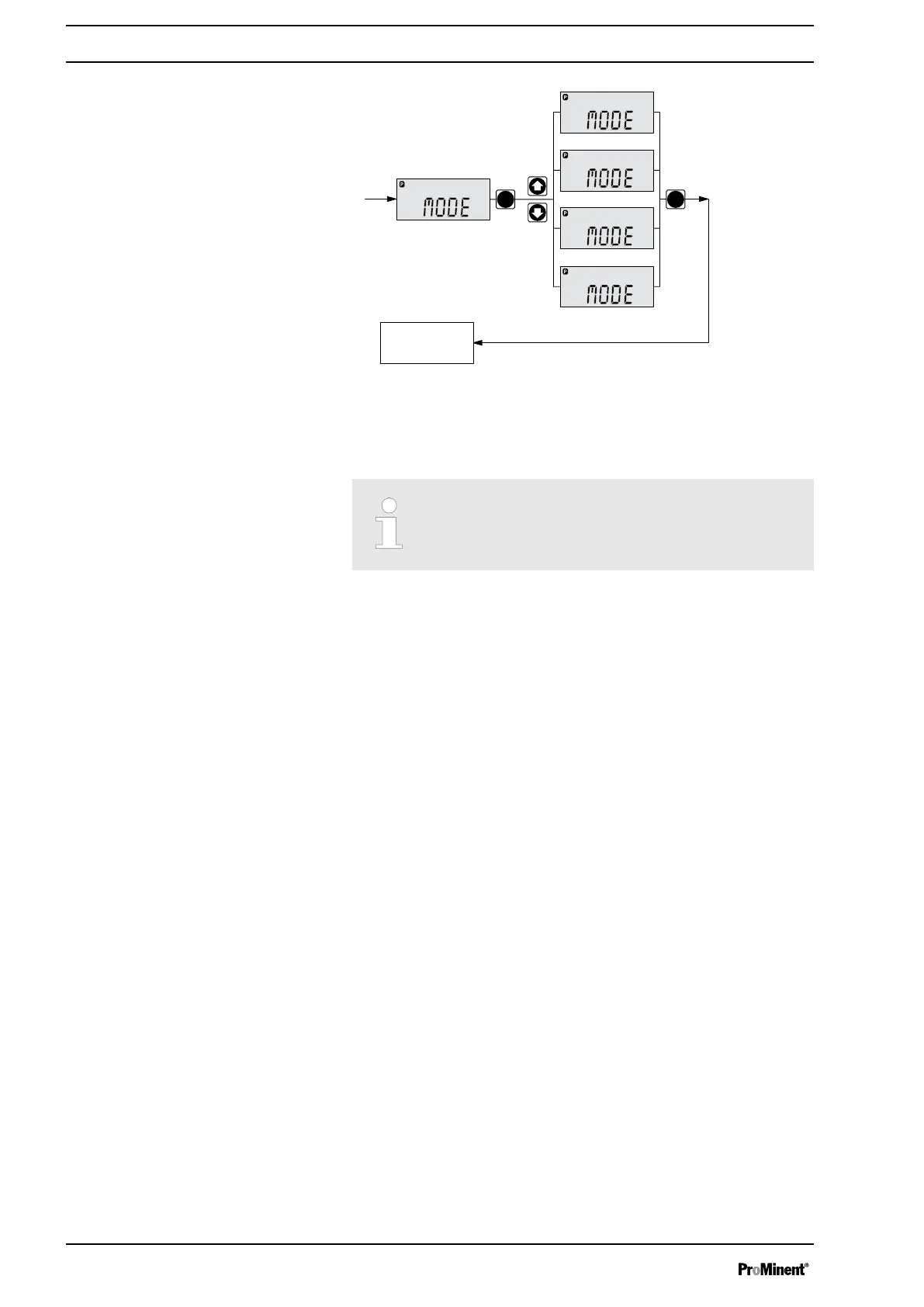
Batch
CONTACT
ManualAnalog
Analog
Manual
CONTACT
Batch
Continuous
display
- ANALOG
- MANUAL
- CONTACT
- BATCH
P
B0085
Fig. 29
8.5 Operating mode settings (SET menu)
First in the “MODE” menu select the operating mode!
Exceptions: Timer and PROFIBUS
®
.
In the
“SET”
menu, you can make various settings dependent on the
selected operating mode.
Adjustment menus are available in all operating modes for the following
programmable functions:
n Calibrate (
“CALIB”
menu)
n Auxiliary rate (
“AUX”
menu)
n Flow (
“FLOW”
menu; only available if a dosing monitor is connected)
- see also the chapter "Programmable function settings (SET menu)".
As to whether or not a further setting menu is available, depends on the
selected operating mode.
8.5.1 "Manual" operating mode settings
Other than those described in more detail in the chapter "Programmable
function settings (SET menu)" there are no other setting menus available
in
“Manual”
operating mode via the
“SET”
menu.
8.5.2 "Analog" operating mode settings (ANALG menu)
Alongside those described in more detail in the chapter "Programmable
function settings (SET menu)" the
“ANALG”
menu is also available in
“Analog”
operating mode via the
“SET”
menu.
The stroke rate is controlled using an analog current signal via the
"External control" terminal
Overview
Adjustment
40






 To Next Page