Using the Program Guides
40
SORTING THE CURRENT DIRECTV
®
PROGRAMMING
GUIDE ALPHABETICALLY
The AlphaSort
™
feature lists all the program titles in the current DIRECTV
®
programming
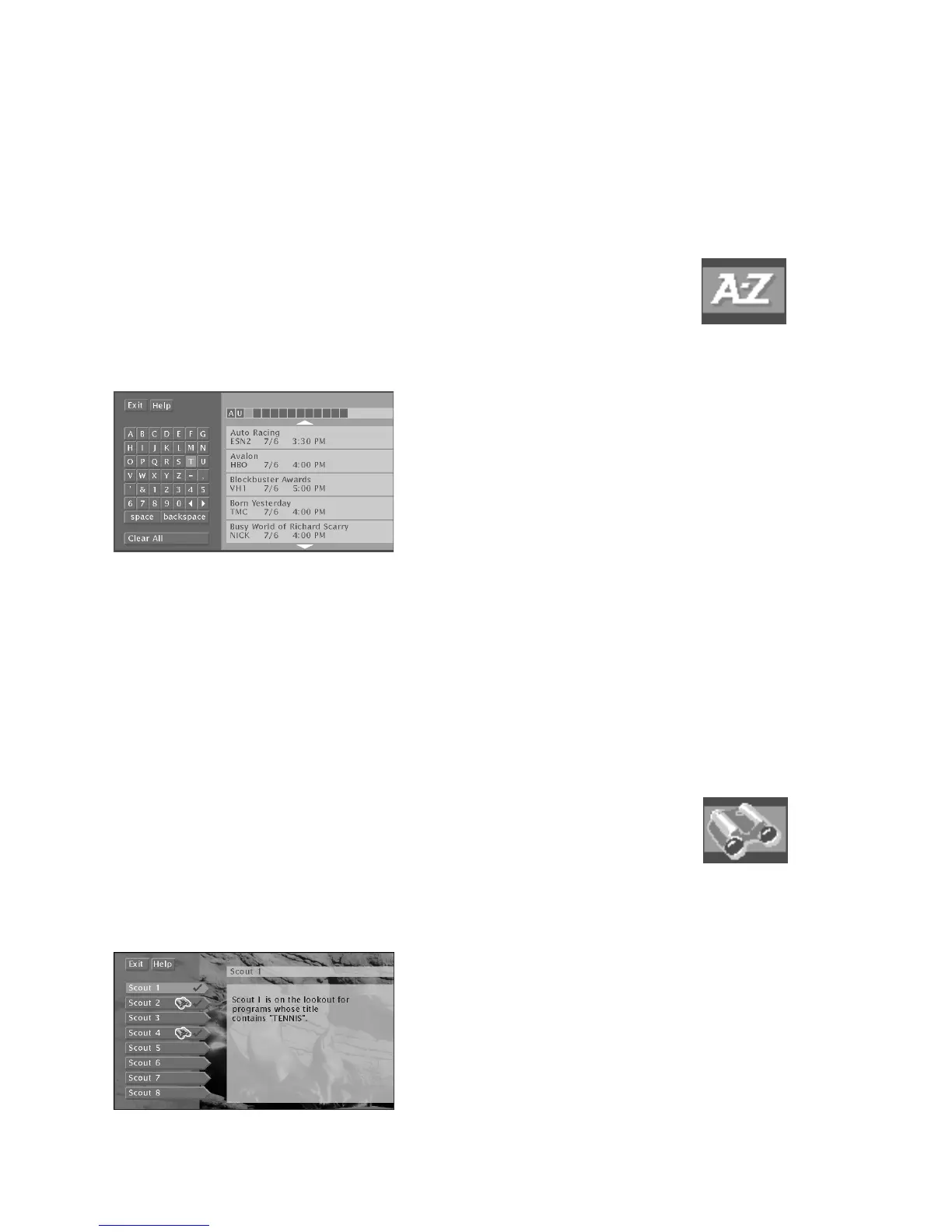
guide in alphabetical order. You can also find this icon in the channel banner. Select the
AlphaSort icon to search for specific program titles that are in the current guide. After
listing programs whose first letter or number match your entry, AlphaSort lists programs
in the current DIRECTV
®
programming guide that have your entry anywhere in the title.
In the AlphaSort menu, use the arrow buttons on your remote control to highlight a
character, then press OK.
For example, to search for the program Auto Racing, the first letter you should highlight
and select is “A.” (Words like “The”, “A”, and “An” appear at the end of a title.) All
titles that begin with “A” appear in the AlphaSort list. Next, enter the letter “U”. All
titles beginning with “AU” appear in the list. Programs that contain “AU” anywhere in
their titles will appear at the end of the list.
FINDING DIRECTV PROGRAMS USING SCOUT
™
The Scout icon at the bottom of the DIRECTV
®
programming guide lets you assign
“Scouts” to search all DIRECTV
®
programming guides (both current and future) for very
specific program title information.
To use the Scout feature:
1. Highlight the Scout icon in the program guide and select it.
2. Highlight one of the Scout 1-8 menu items from the next screen and press OK. If
you’re setting up a new Scout, make sure to select a Scout menu item without a
check beside it, since the check means you have already set up that Scout search.
Select a Scout menu item without a check to set up a new Scout search.
AlphaSort icon
Scout icon













 To Next Page