Getting Assistance
78
FIND YOUR DISH POINTING COORDINATES
Use one of the available methods (ZIP Code, Latitude/Longitude) to find your dish
pointing coordinates.
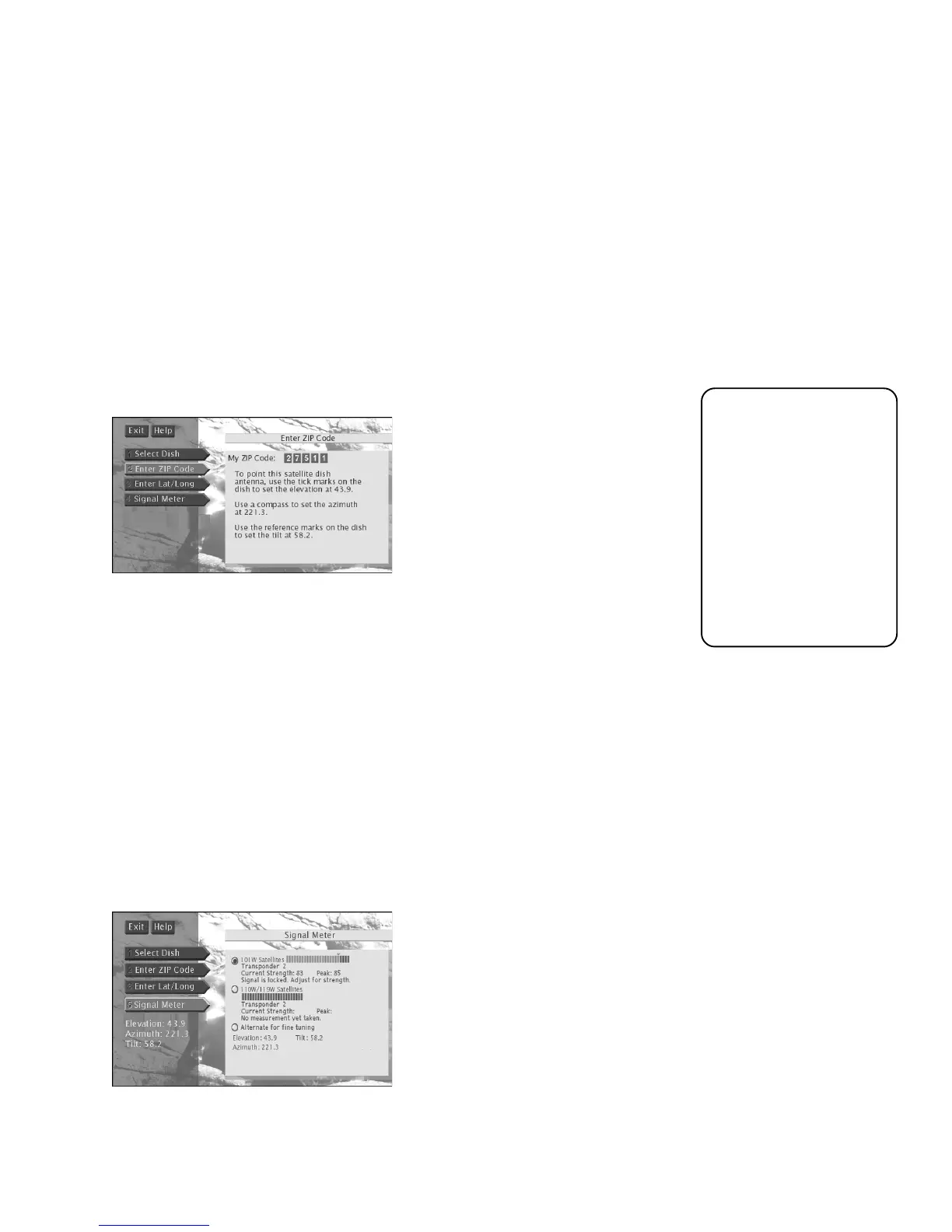
Follow these steps to obtain your dish pointing coordinates using the ZIP Code of the
dish installation location:
1. Press MENU on the remote control to bring up the Main menu.
2. Select
Assistance
, then
Dish Pointing
.
3. Select
Enter ZIP Code
.
4. Enter the ZIP Code for the satellite dish antenna installation location.
5. Record the elevation, azimuth, and tilt (oval satellite dish only) numbers below.
Elevation ____________ Azimuth ___________
Tilt (oval satellite dish only) _____________________
USING THE ON-SCREEN SIGNAL METER
Use the signal strength meter to determine whether or not you are receiving a satellite
signal. You can also use it to find the strength of the satellite signal.
Follow these steps to bring up the on-screen signal meter:
1. Press MENU on the remote control to bring up the Main menu.
2. Select
Assistance
, then
Dish Pointing
.
3. Select
Signal Meter
.
The signal meter screen you see may look somewhat different from the one
pictured above.
Azimuth is the side-to-
side direction that the
satellite dish antenna is
pointed.
Elevation is the up/
down angle that the
satellite dish antenna is
pointed.
Tilt is the circular
rotation of the dish
itself, like the motion of
a steering wheel.













 To Next Page