20
User Manual
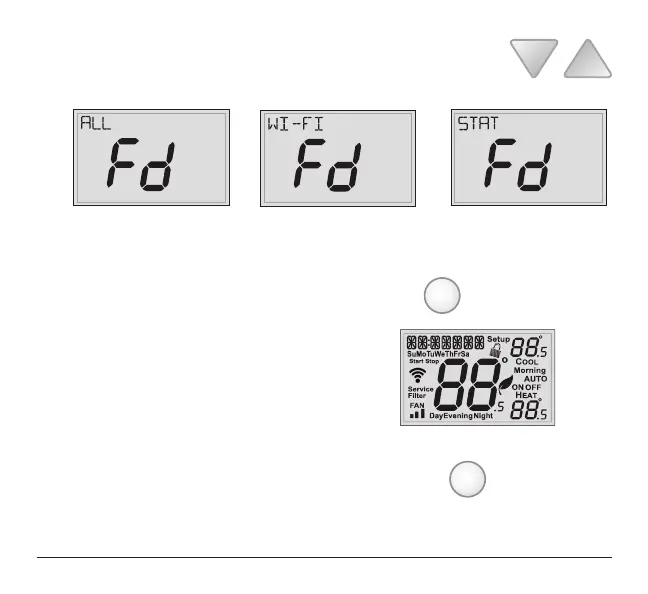
5 Select one of the below options using the UP or DOWN buttons.
Restore the factory settings to just Wi-Fi (Wi-Fi), or just the thermostat
(STAT), or both the thermostat and Wi-Fi (ALL).
6 Press FAN for 2 seconds to restore the factory settings.
7 After factory settings are restored, the thermostat
display will return to the “all icon” screen.
8 To return to normal operation; Press the MODE button twice.
MODE
FAN



 To Next Page