7 User Manual
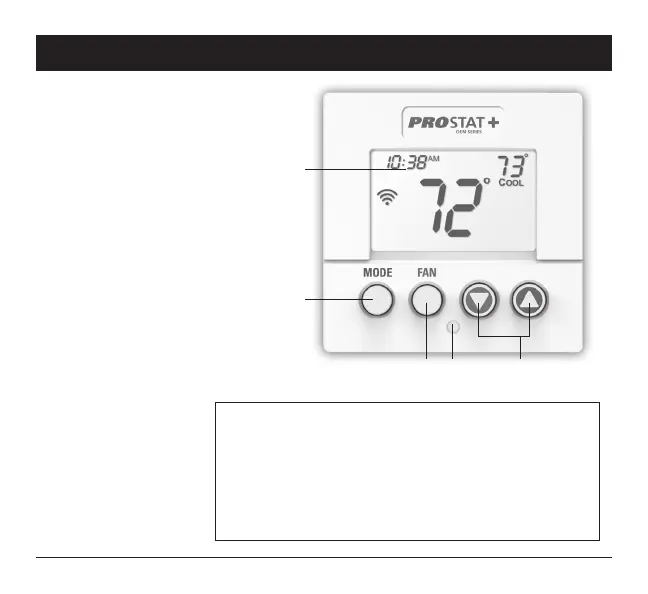
1 Backlit Display
2 Up/Warmer, Down/Cooler
Buttons
3 MODE Button
4 FAN Button
5 Heat or Cool Indicator
Heat = Red, Cool = Green
1 About Your Thermostat
Front Panel
TO ENTER MENUS BUTTON PRESS
Setup Steps MODE & FAN for 5 seconds
Time Schedule MODE & Up for 2 seconds
Emergency Heat Up & FAN for 2 seconds
Lockout Buttons MODE, Up & Down for 2 seconds
Calibration MODE & Down for 2 seconds, then MODE
Wireless Setup FAN for 5 Seconds
Table for button presses
that are required for
entering various menus
1
3
2
4 5



 To Next Page