19 User Manual
Factory Defaults
If, for any reason, you desire to return all the stored settings back to the factory default settings,
follow the instructions below.
WARNING: This will reset all Time Period and Advanced Programming to the default settings.
Any information entered prior to this reset will be permanently lost.
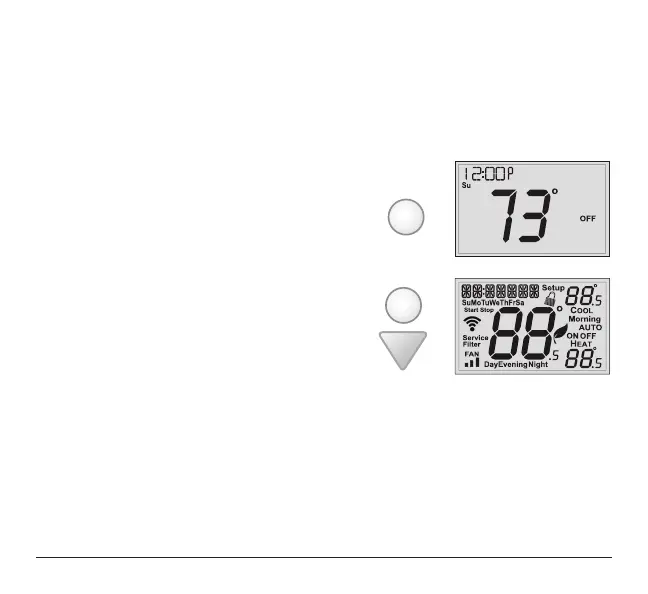
1 Place the thermostat in the OFF mode.
2 Press and hold the MODE button.
While holding the MODE button,
press and hold the DOWN button for 5 seconds.
All icons will appear on the display.
3 After all of the icons appear, release the MODE and DOWN buttons.
4 Press and hold the FAN button for 2 seconds.
MODE
MODE



 To Next Page