8
User Manual
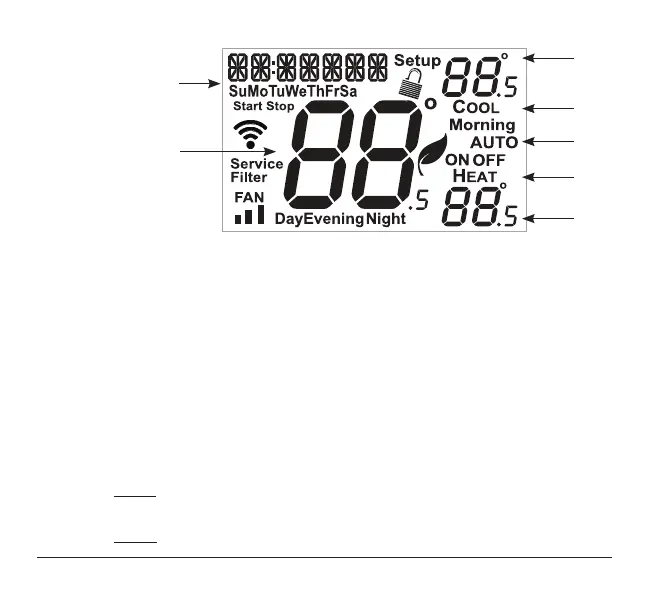
1 Mode Indicators
Selects the operational mode of the equipment.
HEAT - Indicates the heating mode.
COOL - Indicates the cooling mode.
AUTO - Indicates the system will automatically changeover between heat and cool
modes as the temperature varies.
OFF - Indicates heating and cooling are turned off.
2 Clock with Day of the Week
Indicates the current time and day. This clock is also used to program the
time period schedules.
3 Room Temperature Display
Indicates current room temperature.
4 Desired Set Temperature
Indicates desired room temperature(s).
2
3
4
1
1
1
4
Display



 To Next Page