9 User Manual
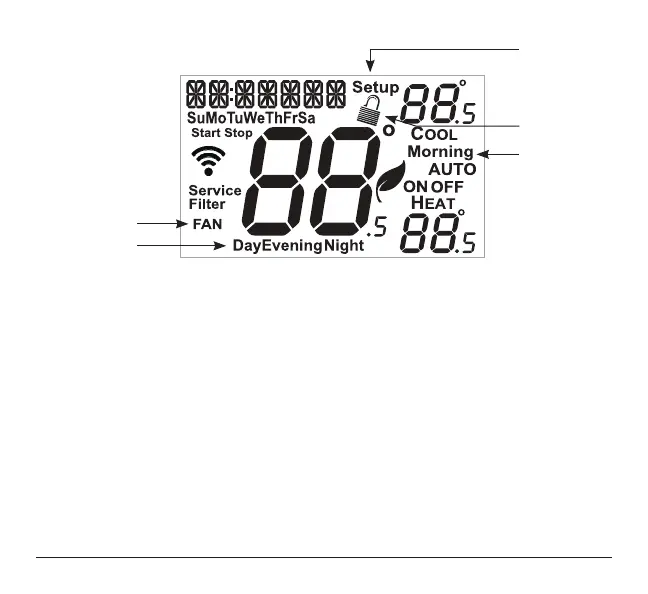
5 Morning, Day, Evening & Night icons
Indicates the day part of the time period program.
6 Setup icon
Indicates the thermostat is in the setup mode.
7 Fan icon
When only the Fan icon is displayed, the fan is always on. If the FAN is not on the display,
then the FAN is in Auto mode and will run only when necessary to heat or cool.
8 Locked icon
Indicates the thermostat’s control buttons have
been locked.
6
5
5
8
7



 To Next Page