3. Setting and Operation
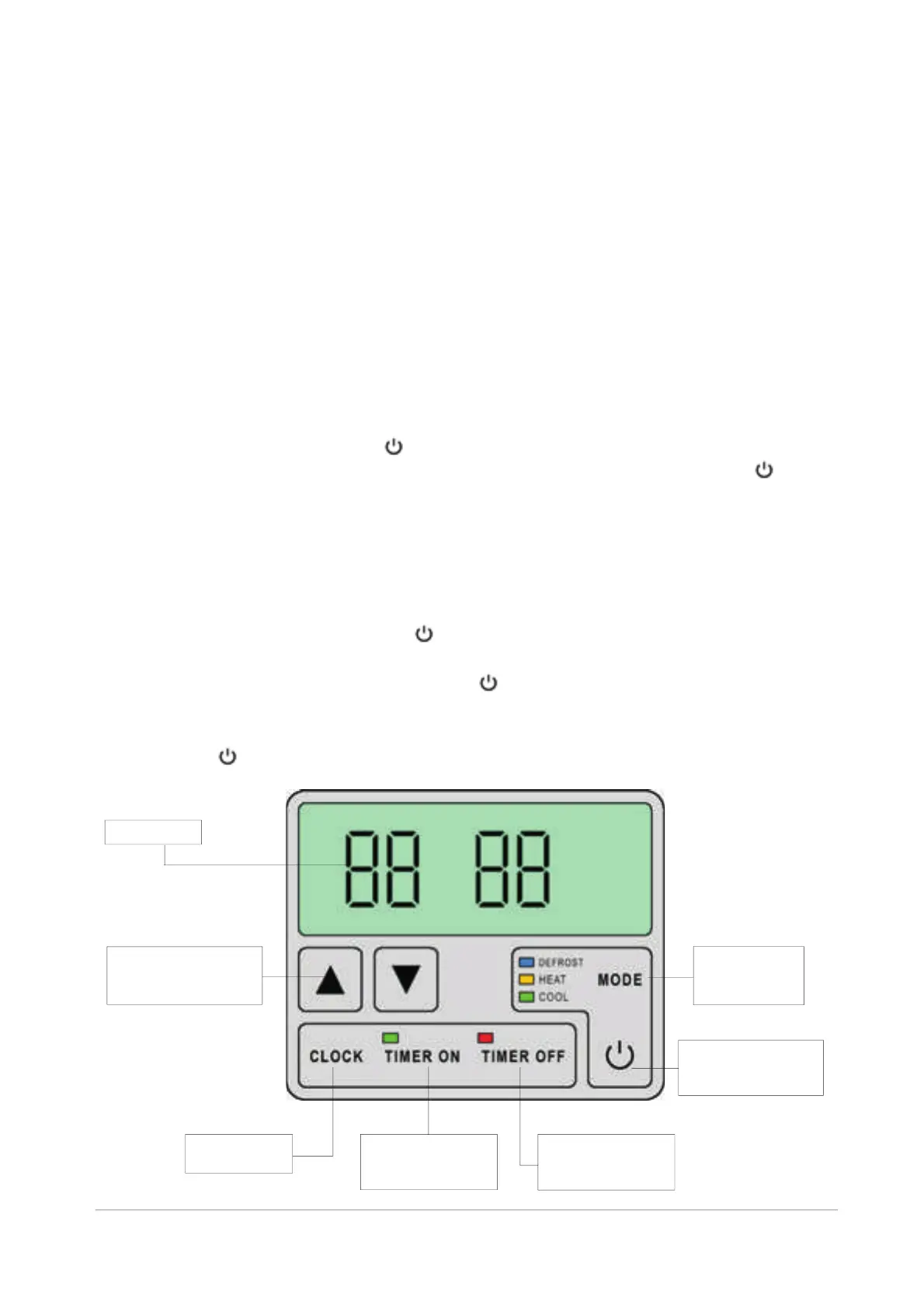
3.1 LED Controller
When the unit is turned OFF, current time is displayed.
Viewing the parameters:
The settings and operation of the performed on the LED Controller.
(heating or cooling) you can change from
heating to cooling by pressing MODE while the Heat Pump is running.
4. Release both buttons.
5
6.
Heat Pump are The
Setting a parameter value is possible only when the unit is turned off.
By pressing ▲ or ▼ the parameter is chosen, and by simultaneous pressing
“MODE” and the main switch (first press “MODE”, hold it, and then press the
main switch) the value can be changed. pressing the main switch the
value is set and stored.
Exception: If the parameter 8 is set to 1
▲ or ▼. (see next two pages)
1. Switch the Heat Pump OFF by . (Clock will be displayed.)
2. Choose the parameter by pressing ▲ or ▼.
3. Press and hold MODE and then press .
. Change the parameter by pressing ▲ or ▼.
. Press The new value is stored.
LED screen contains two two-digit numbers. The first number indicates operation
parameter, the gives the value of the parameter.
The parameter value can be viewed while the pump is running by pressing ▲ or ▼.
If no button is depressed within 5 seconds, the LED displays the water n
temperature.
Press
other
-i
By next
Changing the parameters:
LED display
Press ▲ or ▼to set
or to view parameters
and the values.
Press the main
SWITCH to turn
the unit ON or OFF.
Switching the
running MODE
of the unit.
Press CLOCK
to set the time.
Press to set the
time when the unit
should turn on.
Press to set the
time when the unit
should turn off.
14


 To Next Page