PLM-8000 Operation Manual
16
② ON S/R/L : Enable automatic transfer function in case left/right lens
measurement. Initial screen stands by for single lens measurement.
③ OFF R/L : Disable automatic transfer function in case of left/right lens
measurement. Initial screen stands by for right lens measurement.
④ ON R/L : Enable automatic transfer function in case left/right lens
measurement. Initial screen stands by for right lens measurement.
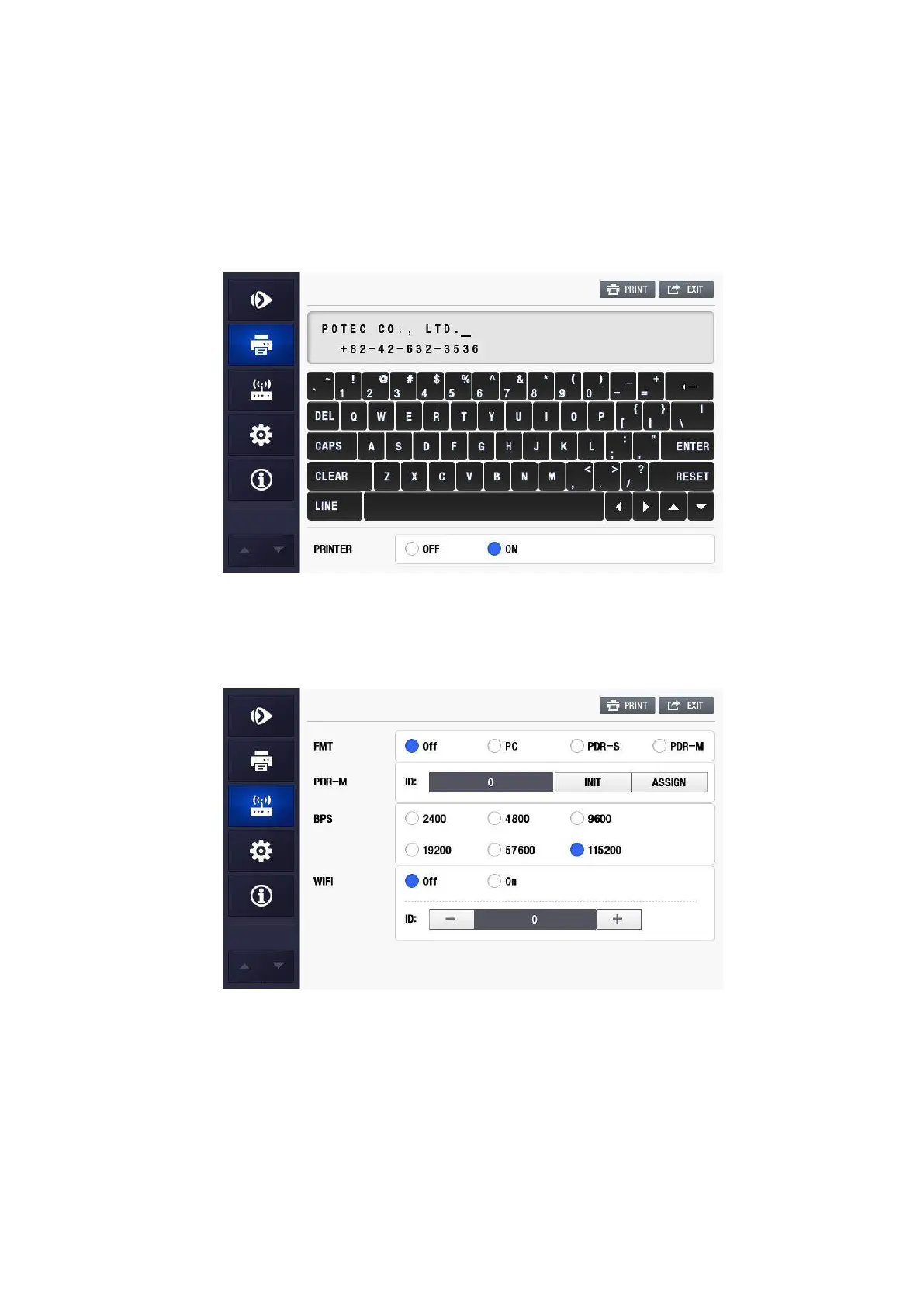
(11) PRINTER
① OFF : Not used.
② ON : Print out in the unit of 24 column by means of the internal printer.
(12) FMT
① OFF : Turn off the external communication.
② PC : Turn on the external communication.
③ PDR -S : Turn on the protocol between single PDR-7000.
④ PDR -M : Turn on the protocol between multi PDR-7000.
(13) PDR-M : Setting the multi PDR-7000


 To Next Page