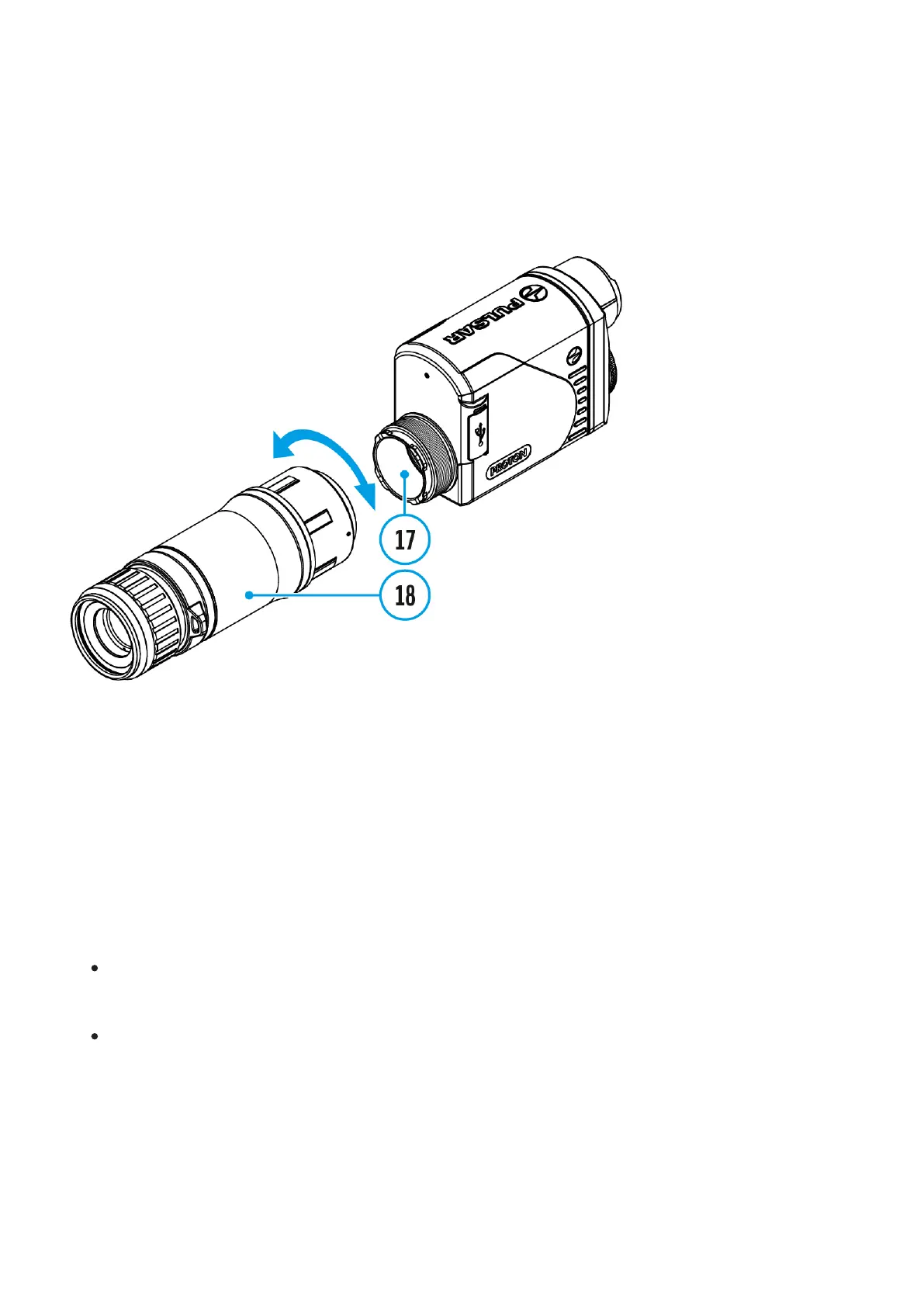
Installing Pulsar 5x30 B
Monocular on to the Proton XQ
The Pulsar 5x30 B monocular (18) allows you to transform the Proton XQ30 into a hand-
held thermal imager with 5x magnification.
1.
Align the tabs on the monocular with the slots of the mount(17).
2.
Turn the monocular clockwise to secure it on the thermal imaging module.
3.
To remove the monocular, turn it counterclockwise and disconnect from the thermal
imaging module.
Notes:
The monocular can be installed on a thermal imaging module with an adapter already
installed. The Ring Adaptor must be mounted onto the mounting area of the thermal
imaging module until it stops.
The monocular can be installed on the device with an adapter installed only if the original
PSP adapter is installed. This may not be possible when using an adapter from other
manufacturers.


 To Next Page