General Settings
☐
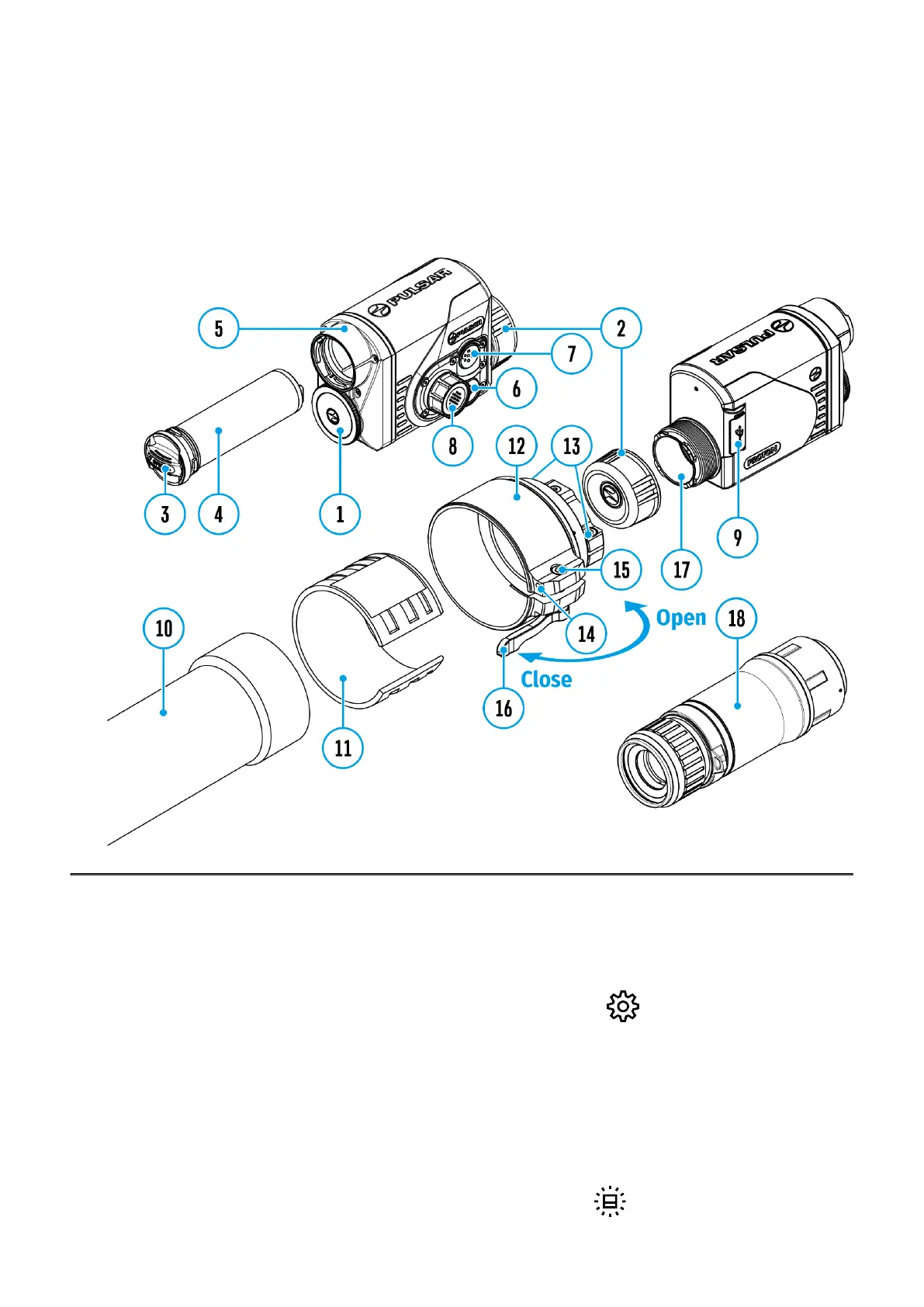
Show device diagram
This menu section allows you to change the interface language, set the date, time, units of
measure, return the device to factory default settings and perform memory card formatting.
1.
Press and hold the controller button (8) to enter the menu.
2.
Rotate the controller ring(8) to select the General Settings menu item.
3.
A short press of the controller button(8) opens the submenu.
Icon Brightness
Adjust brightness level of the icons and screensavers (Pulsar, Display off) on the display.
1.
Rotate the controller ring(8) to select theIcon Brightness icon.


 To Next Page