Wi-Fi Settings
☐
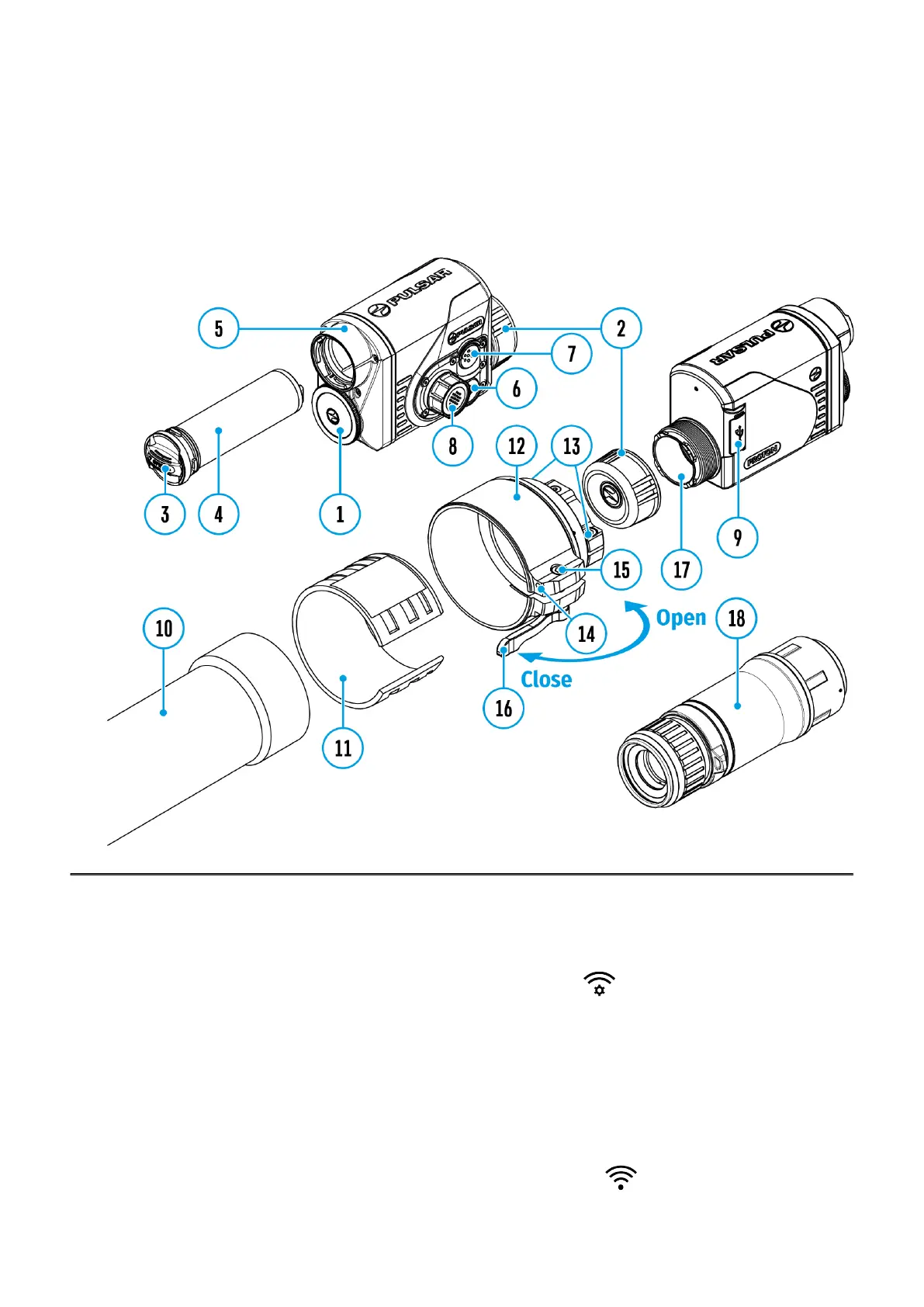
Show device diagram
This menu option allows you to set up your device for operation in a Wi-Fi network.
1.
Press and hold the controller button (8)to enter the menu.
2.
Rotate the controller ring(8) to select the Wi-Fi Settings menu item.
3.
A short press of the controller button (8) opens the menu section.
Wi-Fi Activation
Turn Wi-Fi on/off
1.
Rotate the controller ring (8) to select the Wi-Fi Activation menu item
2.
A short press of the controller button (8) opens the submenu.


 To Next Page