Mode
☐
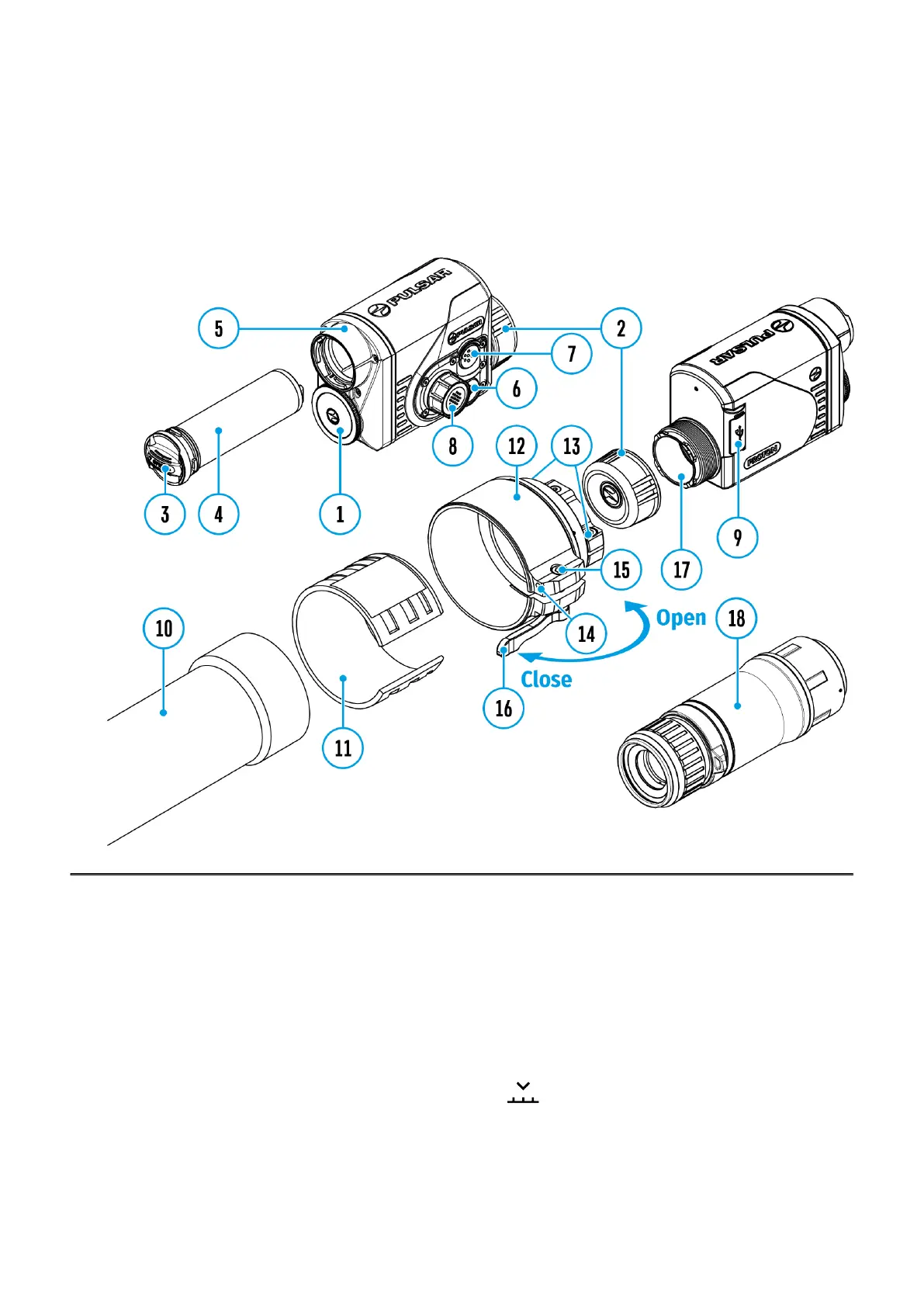
Show device diagram
Observation mode selection
The device has four observation modes of the thermal imager: Forest (observation mode of
objects within low thermal contrast conditions), Rocks (observation mode of objects within
high thermal contrast conditions), Identification (high detalization mode), and User (individual
brightness and contrast settings).
1.
Press and hold the controller button (8) to enter the menu.
2.
Rotate the controller ring(8) to select the Mode menu item.
3.
A short press of the controller button (8)opens the menu.
4.
Rotate the controller ring (8) to select one of the modes: Forest, Rocks, Identification,
and User.
5.
A short press of the controller button (8)confirms the selection.


 To Next Page