Microphone
☐
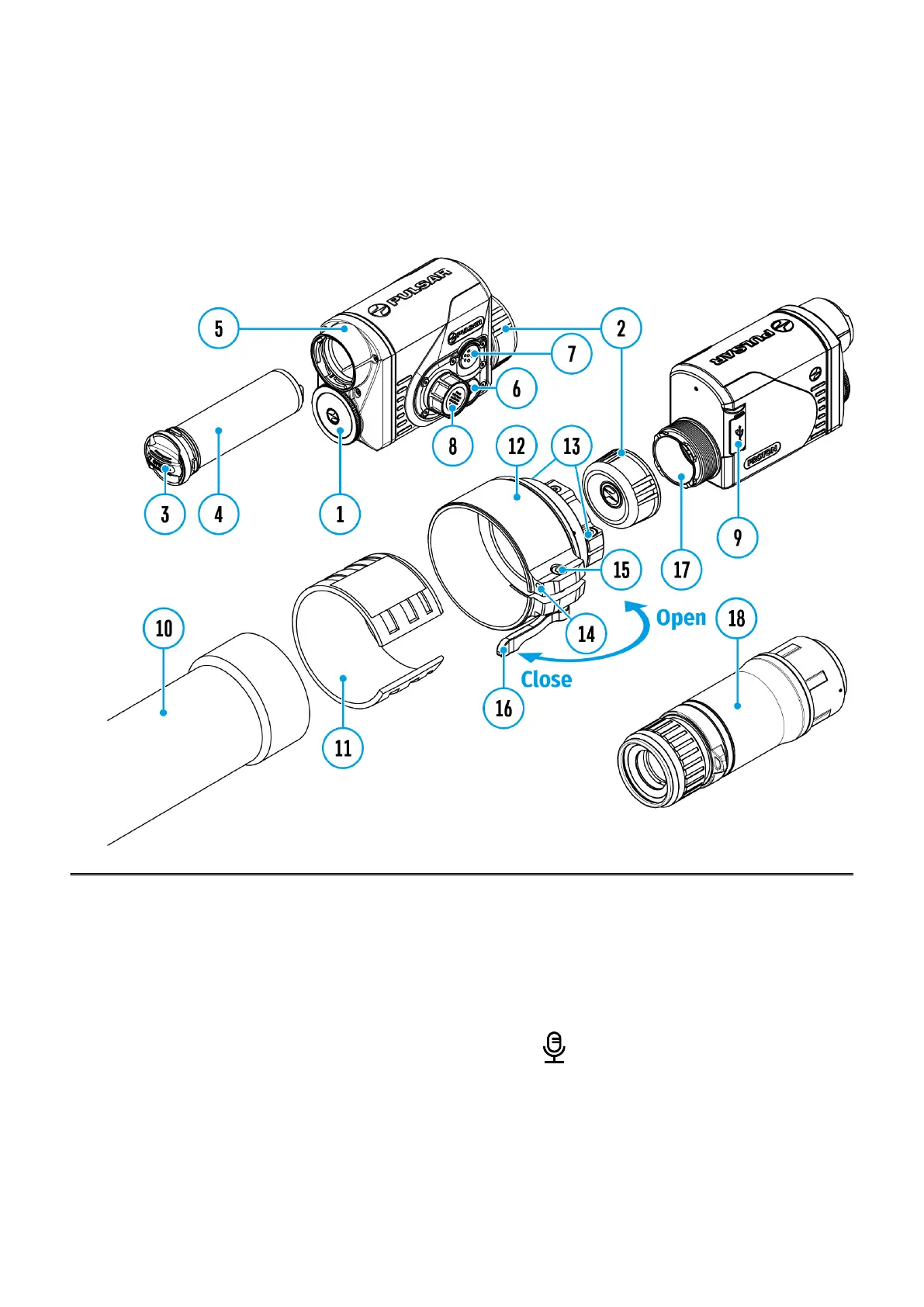
Show device diagram
Turning microphone on / off.
This item allows you to enable (or disable) the microphone for recording sound during video
recording.
1.
Press and hold the controller button (8)to enter the main menu.
2.
Rotate the controller ring (8) to select Microphone icon.
3.
A short press of the controller button (8)opens the submenu.
4.
To turn the microphone on or off press controller button (8).


 To Next Page