INSTALLATION PRO-VISION® Video Systems
DVR-906M SYSTEM GUIDE
48 provisionusa.com
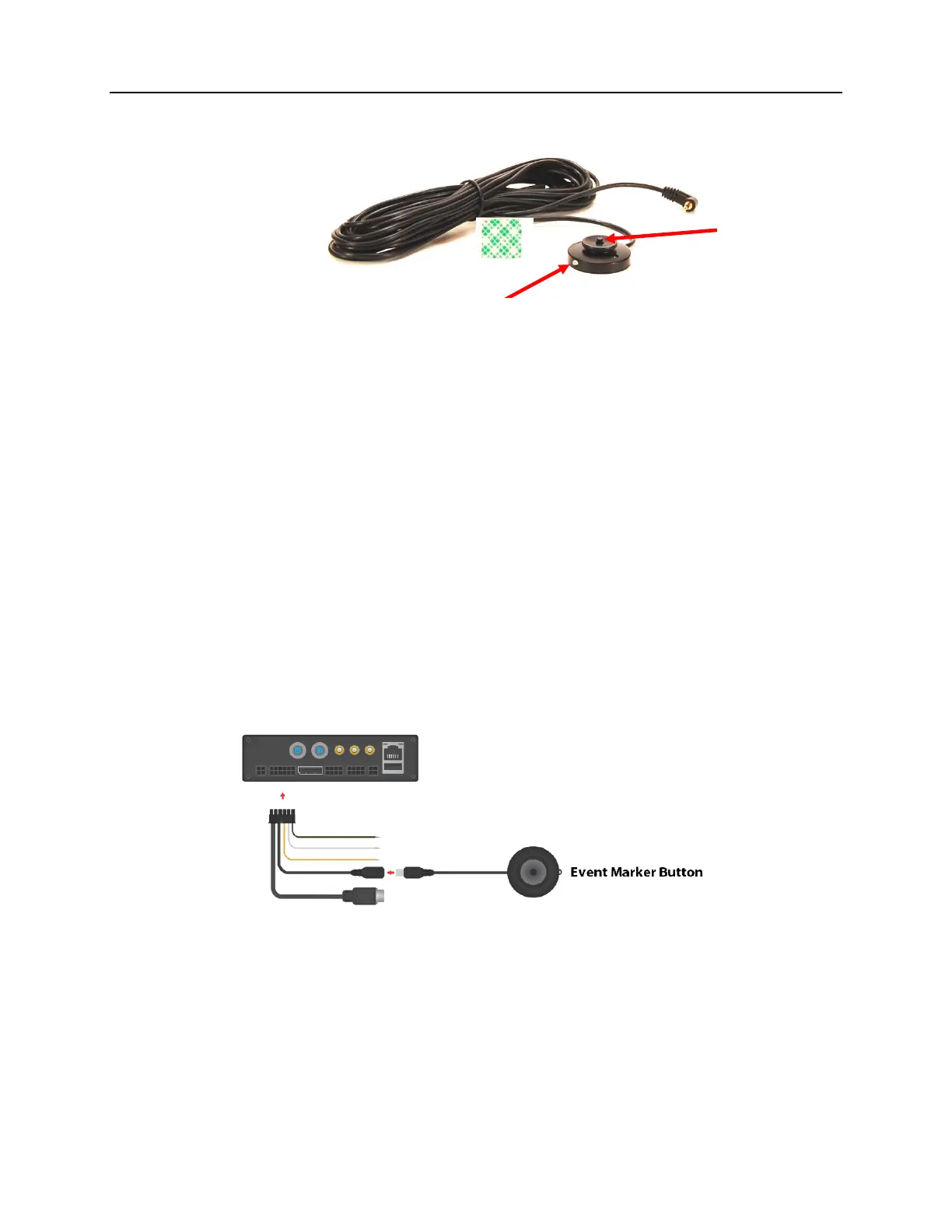
Event Marker Button Installation
The Event Marker Button (P/N: PD-1770) is used to provide the driver an easy way to mark Normal video
as an important Alarm Video and to serve as a marker to mark a point of importance within an Alarm
video. The button also provides the driver with a clear indicator of the system operation.
Recommended Mounting Locations:
The button should always be mounted within reach of the driver while seated normally and buckled. The
LED status light on the button should be visible either directly or indirectly (reflected off a nearby dash or
console) by the driver. If unsure of the button location or LED brightness it is recommended to
temporarily power the DVR unit with the button connected prior to installing to observe the LED visibility.
The buttons are commonly mounted to the dash to the left of the gauge cluster, to the upper driver’s side
corner of the windshield (to the glass) or on the center console.
Installation:
The Event Marker Button includes 6m (20 ft.) of cable. This cable needs to be routed starting from the
button location to the PD-1833 GPS/Event/Trigger Interface Cable at the rear of the DVR. The button is
usually mounted within reach of the driver using the included adhesive pad. When mounting the button,
be sure to rotate the button so that the LED light faces in the proper direction.
LED Light:
The event marker button LED will begin to flash green while the DVR is booting, once booted and the disk
is loaded it will switch to solid green when it begins recording.
FLASHING GREEN - ON but not recording
SOLID GREEN - Recording normally
FLASHING RED - Not recording due to problem, LED will also momentarily flash red when button is
pressed
SOLID RED – Hardware problem/button malfunction



 To Next Page