OPERATION PRO-VISION® Video Systems
DVR-906M SYSTEM GUIDE
62 provisionusa.com
OPERATION
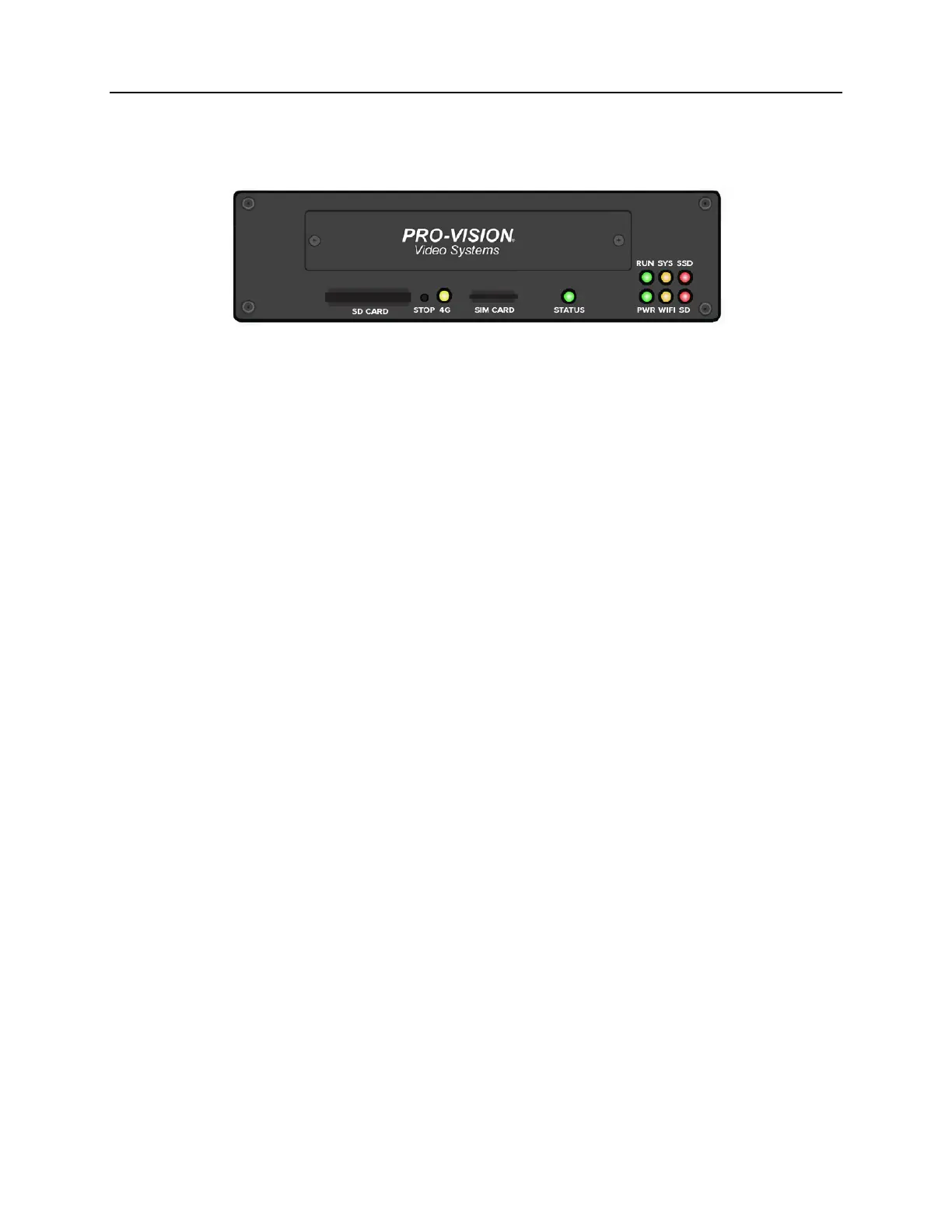
DVR Status Lights
A fully functional DVR will display the following status lights while it is actively recording.
4G AMBER Normally OFF. Indicates when the DVR is connected to a 4G network.
This light requires the DVR to be configured with the optional 4G
modem.
STATUS GREEN/RED Solid green indicates the DVR is on, operating and recording normally.
Flashing green indicates the DVR is still booting up, or is operating
properly, but is not set to record. Flashing red indicates the system is
operating but cannot record; this can be due to a missing or full storage
device or DVR issue.
PWR GREEN Solid green indicates DVR is on. Blinking with green RUN indicates there
is no ignition signal and DVR is in the time-delayed shutoff mode.
RUN GREEN Blinking indicates DVR is on. Blinking with green PWR indicates there is
no ignition signal and DVR is in the time-delayed shutoff mode.
WIFI AMBER Blinking amber indicates the DVR is connected to a Wi-Fi network.
SYS AMBER Blinking amber indicates the number of cameras configured to record
that are not recording, this requires configuration to be accurate.
SD RED Flashing indicates data is recording to SD card. Solid indicates the SD
card is present but no data is being recorded. OFF indicates no SD card
is present.
SSD RED Flashing indicates data is recording to the solid-state drive. Solid
indicates solid-state drive is present, but is not recording. OFF indicates
there is no solid-state drive present.



 To Next Page