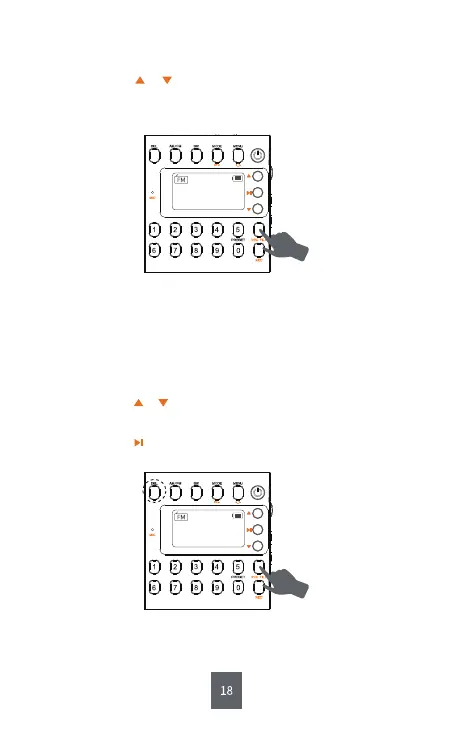
Step1: Short press < ⑪REC FILE >.
Step2: Short press or to choose the recording file you want to play.
Or input the serial number of the file directly and wait for 5s,
then the file will play automatically.
2) How Can I Get My Recording File?
Step1: Short press < ⑪REC FILE >.
Step2: Short press or to choose the recording file you want to delete.
Step3: Long press <⑥DEL: Delete >.
Step4: Short press to confirm. Then the recording file will be deleted
successfully.
3) How Can I Delete My Recording File?
Tips :
Short pressing <⑤AM/FM > or <④SW> directly can back to “AM”, “FM”
or “SW”.
Tips :
Short pressing <⑤AM/FM > or <④SW> directly can back to “AM”, “FM”
or “SW”.
CH00
MHz
90.5
CH00
MHz
90.5


 To Next Page