Programming Guide 25
Handshaking controls are mutually exclusive. The settings below
allow only one of these features to be enabled at a time, as enabling
multiple controls will produce unpredictable results.
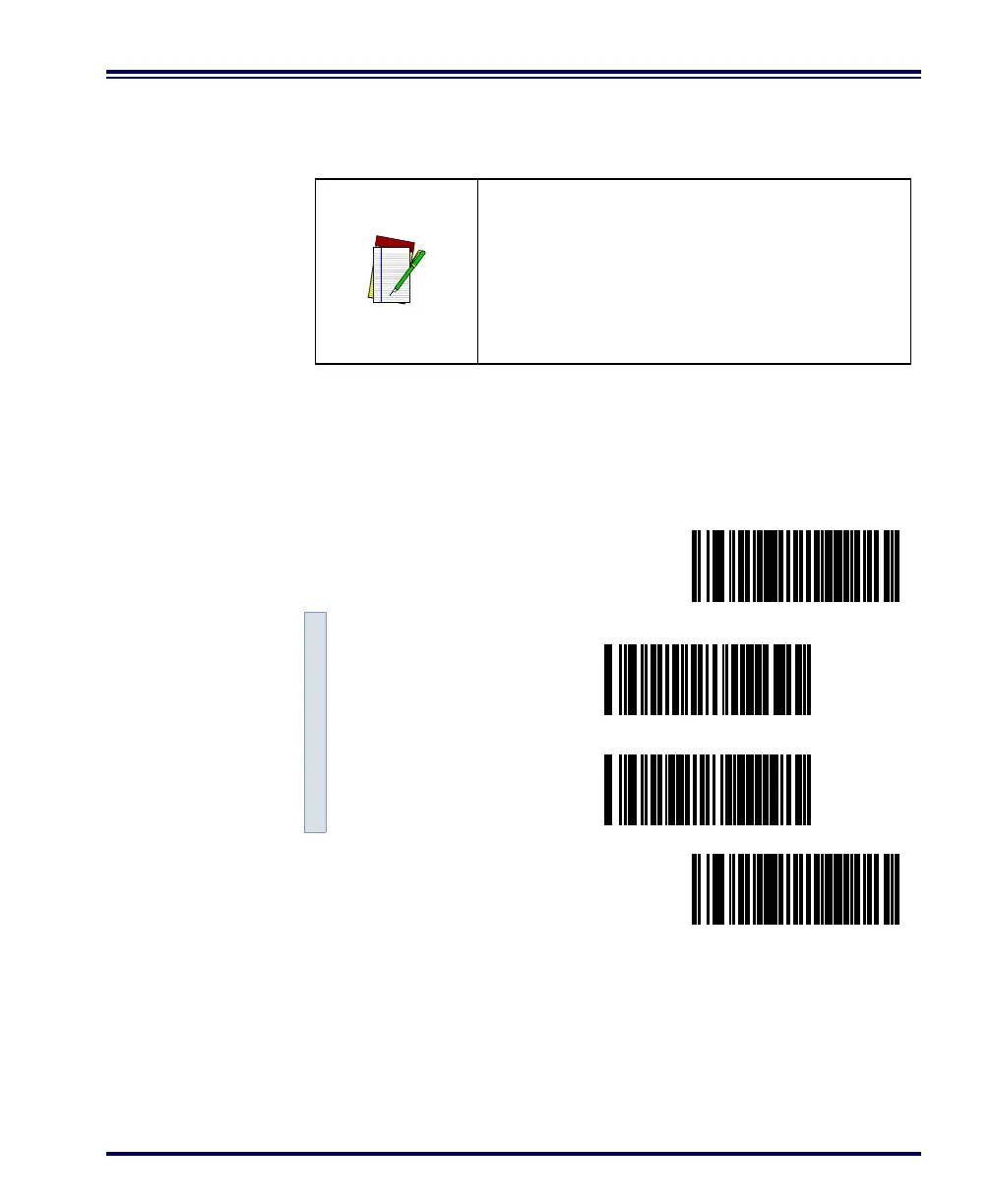
Scan the SET bar code label then the Step #1, Step #2 below, followed
by the END bar code labels to enable CTS/RTS Flow Control.
NOTE
Each of the handshaking features requires
that a series of bar codes (Step #1, Step #2) in
the sequence given. That is, you must enter
Programming Mode by scanning the SET bar
code, scan the bar codes required to set one
handshaking feature, then scan the END bar
code.
Enable CTS/RTS Flow Control
SET -------------------------------------------
Step #1 ---------
Step #2 ---------
END ------------------------------------------



 To Next Page