Programmable Control Panel
PTN Electronics Limited 14 www.PTN-electronics.com
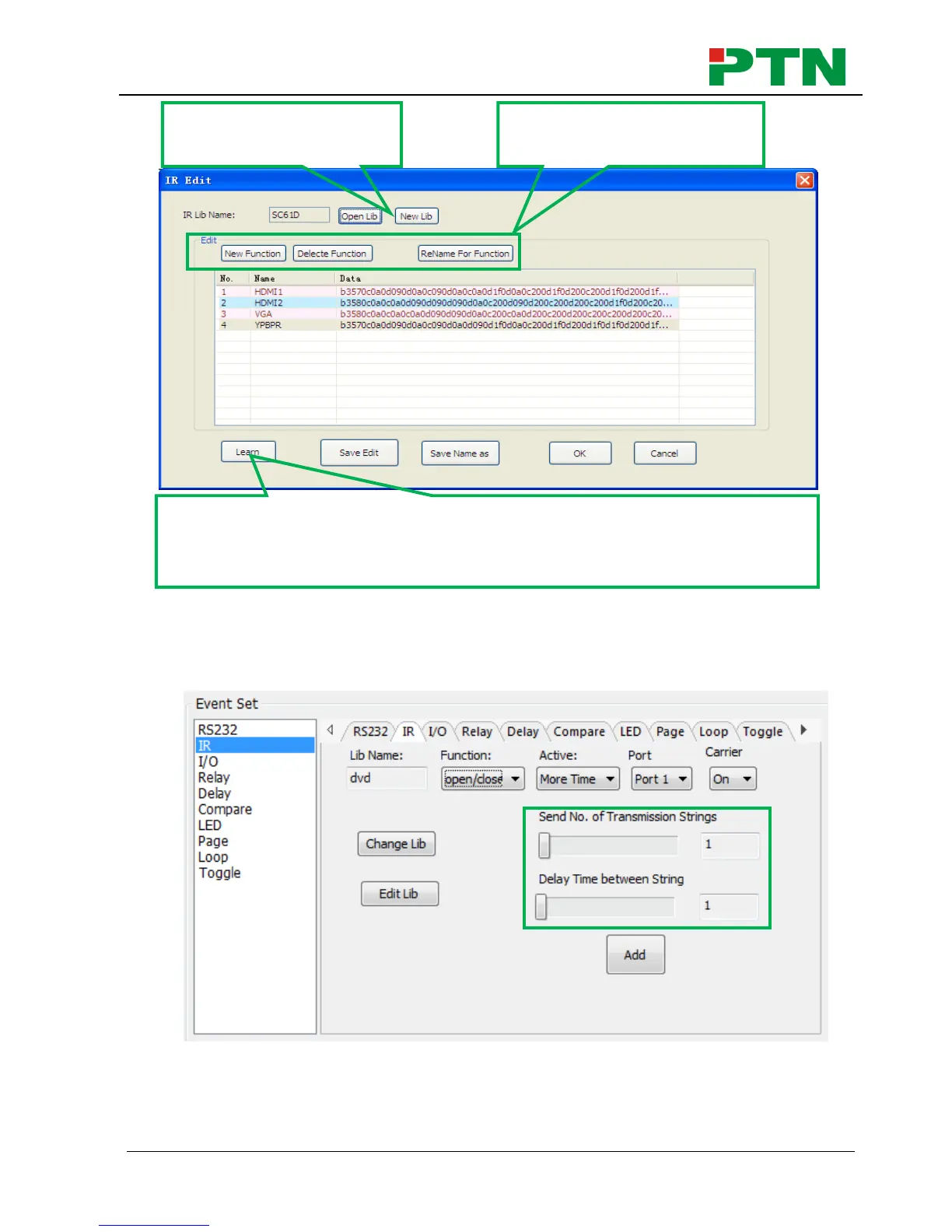
Notice: When editing finish, remember to save the editing, and then press “OK”.
2) There are two send types: send once and send more times. When select “more
times”, the send times and the delay between times can be set. See in picture
below:
3) The send port must be selected as the same as model setting, otherwise the
event cannot be added.
4) The IR can set the carrier on/off, to turn on/turn off the IR sending.
Select a function, and then click “learn”, press the IR remote button to send
the IR code to infrared sensor port, it will refresh the IR data. Follow the
same steps can learn any function of the remote buttons.


 To Next Page