Programmable Control Panel
PTN Electronics Limited 17 www.PTN-electronics.com
Page setting
White buttons can be set to type “page” that include four actions. To change different
actions, it will need other white buttons to active the page action number. Here take a
example to show you the use of this function:
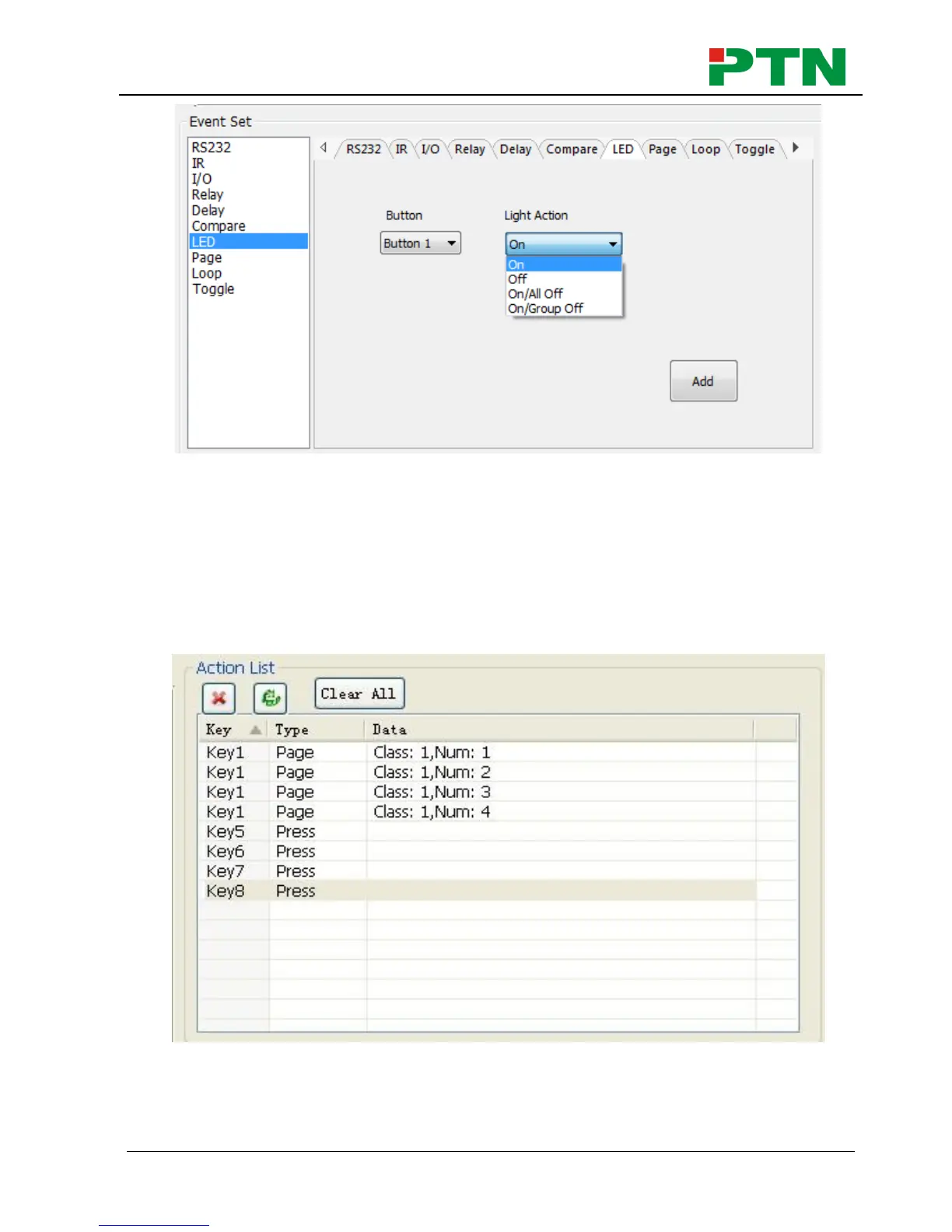
1) Take button1 for example: click key1 and select the action type “page”, add the
four actions to the action list. Then add other four buttons “press” action to the list
(here take keys 5-8 for example):
2) In event setting, we add four different events to the four page actions of key1, and
the four other keys will be added the page event to each of them as below:


 To Next Page