Programmable Control Panel
PTN Electronics Limited 18 www.PTN-electronics.com
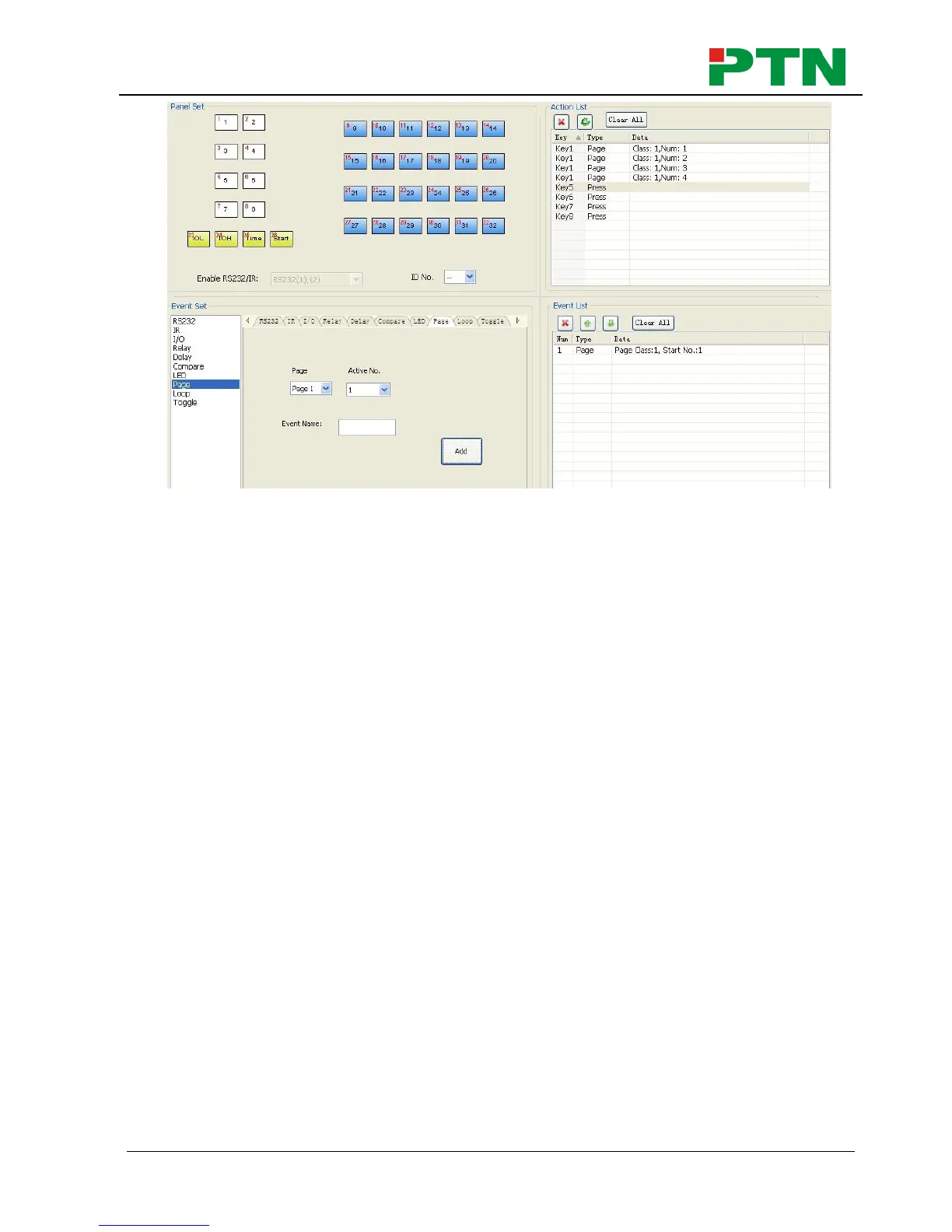
Then set the “page” event to make four “press” actions to active the four page
number: key5-num1, key6-num2, key7-num3 and key8-num4. It will perform like
this:
a) When press the button5 and then button1, the button1 will execute the event
of num1, press button1 more times it will execute num1 more times;
b) When press the button6 and then button1, the button1 will execute the event
of num2, press button1 more times it will execute num2 more times;
c) When press the button7 and then button1, the button1 will execute the event
of num3, press button1 more times it will execute num3 more times;
d) When press the button8 and then button1, the button1 will execute the event
of num4, press button1 more times it will execute num4 more times.
Loop Setting
This item is used for looping WP8. When use the loop function, the ID of each WP8
must be set.


 To Next Page