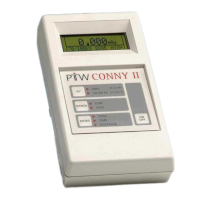
MULTIDOS
RS232 Interface
General
D177.131.2/0 5
2 General
To get used to the MULTIDOS serial communica-
tion, we recommend to use a terminal program like
the Microsoft-Windows HyperTerminal.
3 Interface Configuration
MULTIDOS RS232 interface:
Baud rates: 4800, 9600, 19200,
38400 (recommended)
Code: 8 data bits
Stop bit: 1 stop bit
Parity: none
If the COM port of your personal computer has a 9
pin D connector (standard IBM layout), use a PTW
cable L178012 (2m), L178026 (5m) or T22373/K67-
30.
If it has a 25 pin connector, use a gender changer
additionally.
Pin assignment:
Pin MULTIDOS signal
2 TxD (out)
3RxD (in)
4-
5SGND
6-
7CTS (in)
8 RTS (out)
Pins 4 and 6 are internally connected. By this, an
external DTR signal may be returned as DSR to the
external device.
Either RTS/CTS hardware handshake or no hand-
shake may be used.
4 Principles of Computer
Communication
Between MULTIDOS and the connected PC, data is
exchanged by means of sequences of ASCII char-
acters which are concluded by the characters CR
(carriage return, hexadecimal 0D) and LF (line feed,
hexadecimal 0A). This sequences are called tele-
grams. The CRLF end mark is omitted in all tele-
gram descriptions. For all communication, a strict
ping pong principle must be observed: after sending
a telegram to the MULTIDOS, the PC program must
wait for the answer from MULTIDOS, before it may
send a new telegram.
NOTE
In this text, the character • is used to depict a
space character contained in a telegram.



 To Next Page