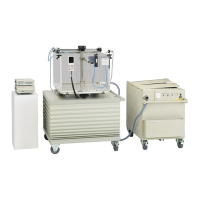
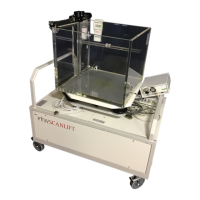
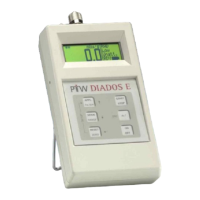
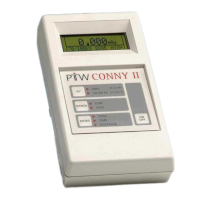
MULTIDOS
RS232 Interface
Brief Description
8 D177.131.2/0
6 Brief Description
Perform steps 1 to 5 in the given sequence to set up the MULTIDOS and read out measured data.
Step 1: physical setup
Connect the RS232 cable to the desired COM port of your personal computer. Switch the MULTIDOS on
and set it manually to the desired application. Set up the following items: unit, absolute or relative readings,
measuring mode, interval time, baudrate. Note that MULTIDOS will reawake in this configuration, when it is
switched on again.
Step 2: open communication
Start the communication program on your PC. The program must be set up correctly!
Telegram Response Description
PTW MULTIDOS Correct response signals proper communication setup and that MULTIDOS
is ready for communication. See note 1
Aa
Aa
Set/Read the MULTIDOS application. Parameter a: A = Afterloading, C =
Constancy Check, D = Dual Dosemeter, M = Multi Channel, L = Linear
Array. Sending A reads the current application, sending A with parameter
changes the application.
SER SERxxxxxx Correct response signals the MULTIDOS is ready to measure
Notes:
1. The answer must return within 3 seconds. The first seven characters of the response telegram must be
MULTIDOS (the response itself contains more characters). Repeat this telegram three times maximum, if
you do not receive the expected response or no response at all.
2. For all telegrams: if the expected response is not received, MULTIDOS is set up in a wrong way.
Step 3: zero adjustment
Telegram Description Response
NUL The response is sent at the end of the procedure after approx. 35 seconds max.
If zeroing fails, E06 is responded instead of NUL. Obey the warm up time and
the guidelines for zeroing.
NUL
Step 4: set up and start measurement
Telegram Description Response
Ixxxx Set the interval time between 6 und 9999 seconds (replace Parameter xxxx by
0006 to 9999). Only necessary to alter a previous setting.
Ixxxx
Mx
Set/Read MULTIDOS measuring mode.
Parameter x: 0 = Dose/Charge, 1 = Doserate/Current
Sending M reads the current mode, sending M with parameter changes the
mode.
Mx
STA Same effect as the <STA> key STA
INT Same effect as the <INT> key INT
Note: During a running measurement a new measurement may be immediately started by STA or INT.
Step 5: read measured values
Telegram Description Response
D Reads the measured values see application chapters in this manual
During serial communication, it is recommended to disable the MULTIDOS keyboard by the K0 telegram.
All MULTIDOS setup (used unit and measuring mode, reference used or not, etc.) can also be done by tele-
grams.
If MULTIDOS is running in menu mode, all telegrams with the exception of PTW will be responded by E03.



 To Next Page