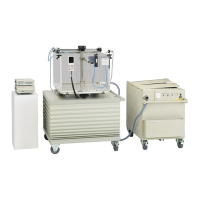
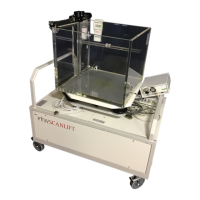
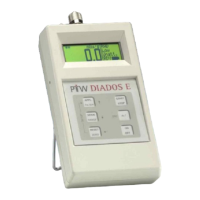
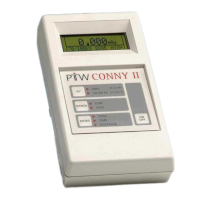
MULTIDOS
RS232 Interface
General Telegrams
6 D177.131.2/0
5 General Telegrams
These telegrams are valid for all MULTIDOS applications.
5.1 Device Identification
Telegram Description Response
PTW Read device information. x.xx is the firmware version, u describes the ra-
diological unit
MULTIDOS•x.
xxu
SER Read MULTIDOS serial number SERxxxxxx
5.2 Keyboard
Telegram Description Response
Kx Disable or reenable the MULTIDOS keyboard. Parameter x: 0 = disabled, 1
= enabled
Kx
5.3 Basic Device Settings
Telegram Description Response
Lx Set/Read language setting. Parameter x: E = Englisch, D = German
Lx
Idddd Set/Read interval time. Parameter dddd: 0006 up to 9999
Idddd
Aa Set/Read the MULTIDOS application. Parameter a: A = Afterloading, C =
Constancy Check, D = Dual Dosemeter, M = Multi Channel, L = Linear
Array.
Wait 5 seconds after sending Aa
Aa
Aquit Restart the current application. Wait 5 seconds after sending Aquit Aquit
BRbbbbb Set/Read baud rate. Parameter bbbbb: 04800, 09600, 19200, 38400
BRbbbbb
5.4 Controlling a Measurement
Telegram Description Response
STA Equivalent to <STA> key STA
INT Equivalent to <INT> key INT
RES Equivalent to <RES> key RES
HLD Equivalent to <HLD> key HLD
NUL Equivalent to <NUL> key. Response NUL or E06 is send after 28 seconds NUL
Mx Set/Read measuring mode. Parameter x: 0 = Dose, 1 = Doserate
Mx
S Read measurement status.
Valid values of parameter sss: RES, STA, HLD, INT, RUN, NUL, ERR
Ssss
5.5 Error Codes
Error code Description
E01 Unknown command or illegal parameter
E02 Command in wrong context (STA for doserate measurement, etc.)
E03 Command not allowed at the moment (MULTIDOS is in a menu)
E06 Error during zeroing
E07 Answer could not be sent (transmission buffer full)
E09 Error during write to EEPROM
E10 Parameter out of limits



 To Next Page