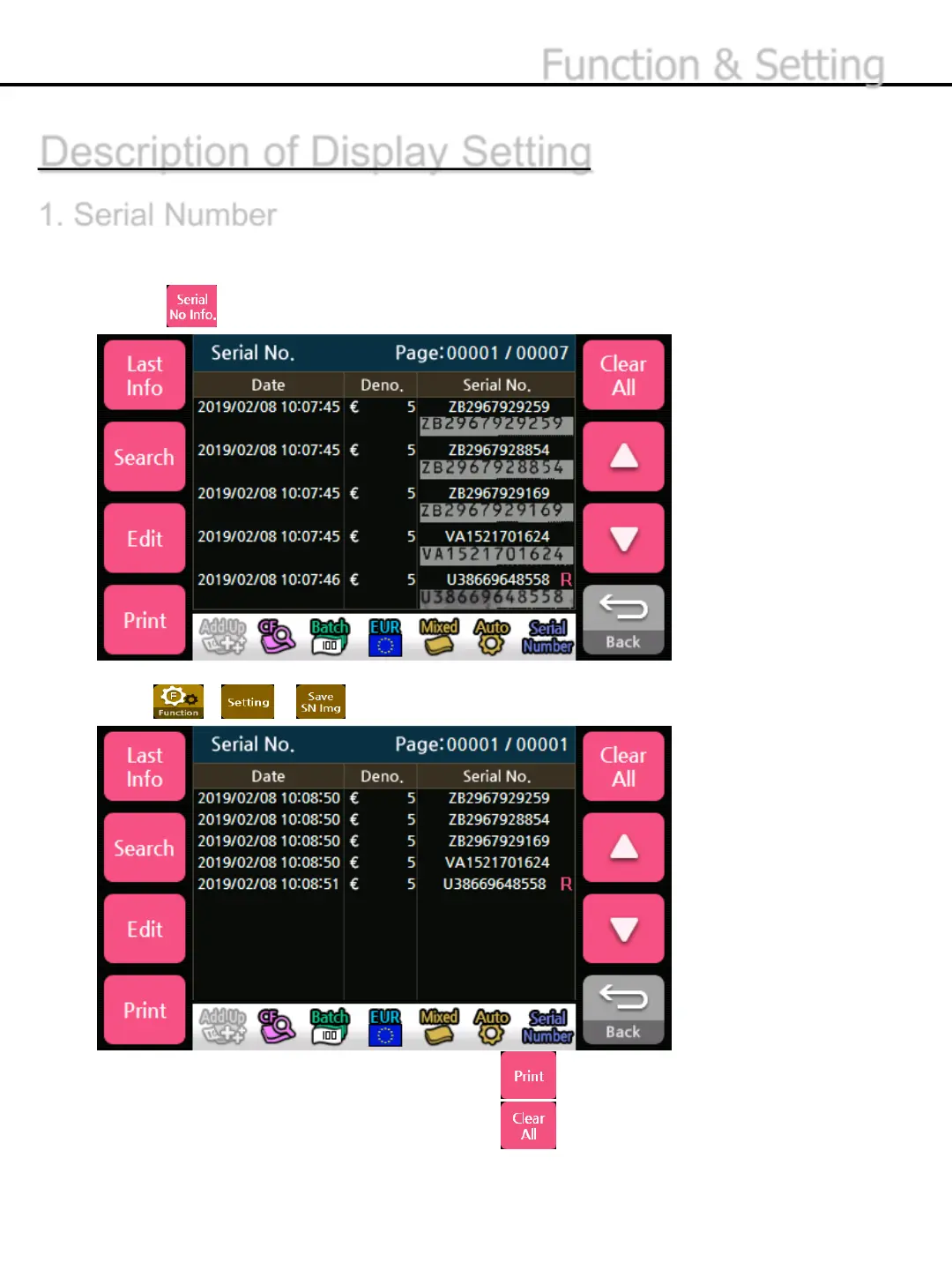
*If an external printer is connected and enabled, press button to transmit the information to
the printer
* To remove all of the information of Serial No., press button.
Press - - button to select whether to use the serial number capture function.
Description of Display Setting
1. Serial Number
Displays the denominations and the time when the serial number is acquired and can be sorted by
time, denomination and serial numbers.
1) Press button to select serial number information.
-26-
Function & Setting


 To Next Page