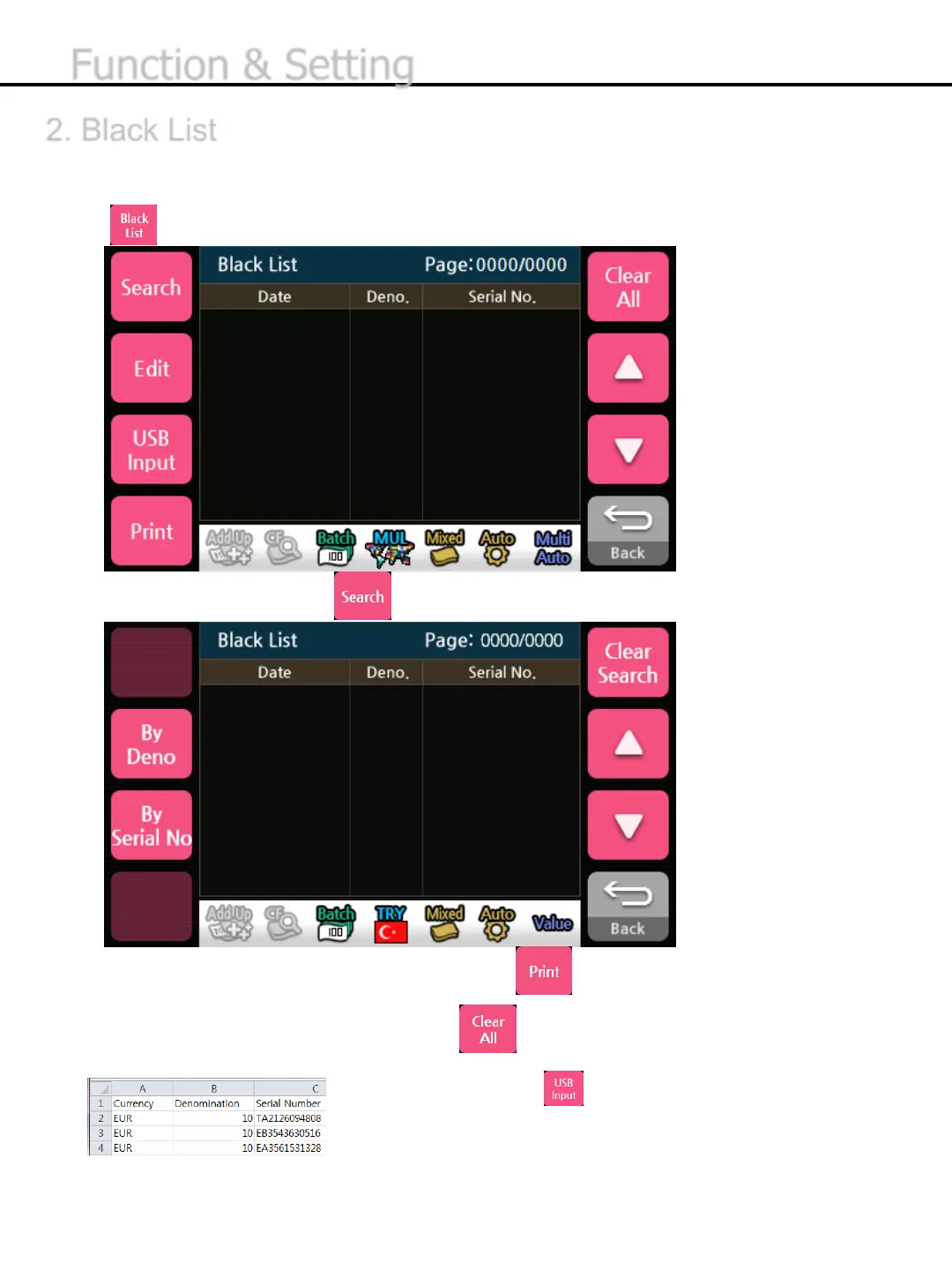
* If an external printer is connected and enabled, press button to transmit the black list to
the Printer
* To remove the information of black list, press button.
* To upload the file, BLACKLIST.csv, as shown in the following photo, please insert a memory stick
with the file and press button
2. Black List
This table shows the information of Black List saved. If the scanned serial number of banknote is in
black list, the machine will send the banknote to the reject hopper.
1) Press the Black List button to select the black list
To search the black list, press button.
-27-
Function & Setting


 To Next Page