3. Beep
4. Time
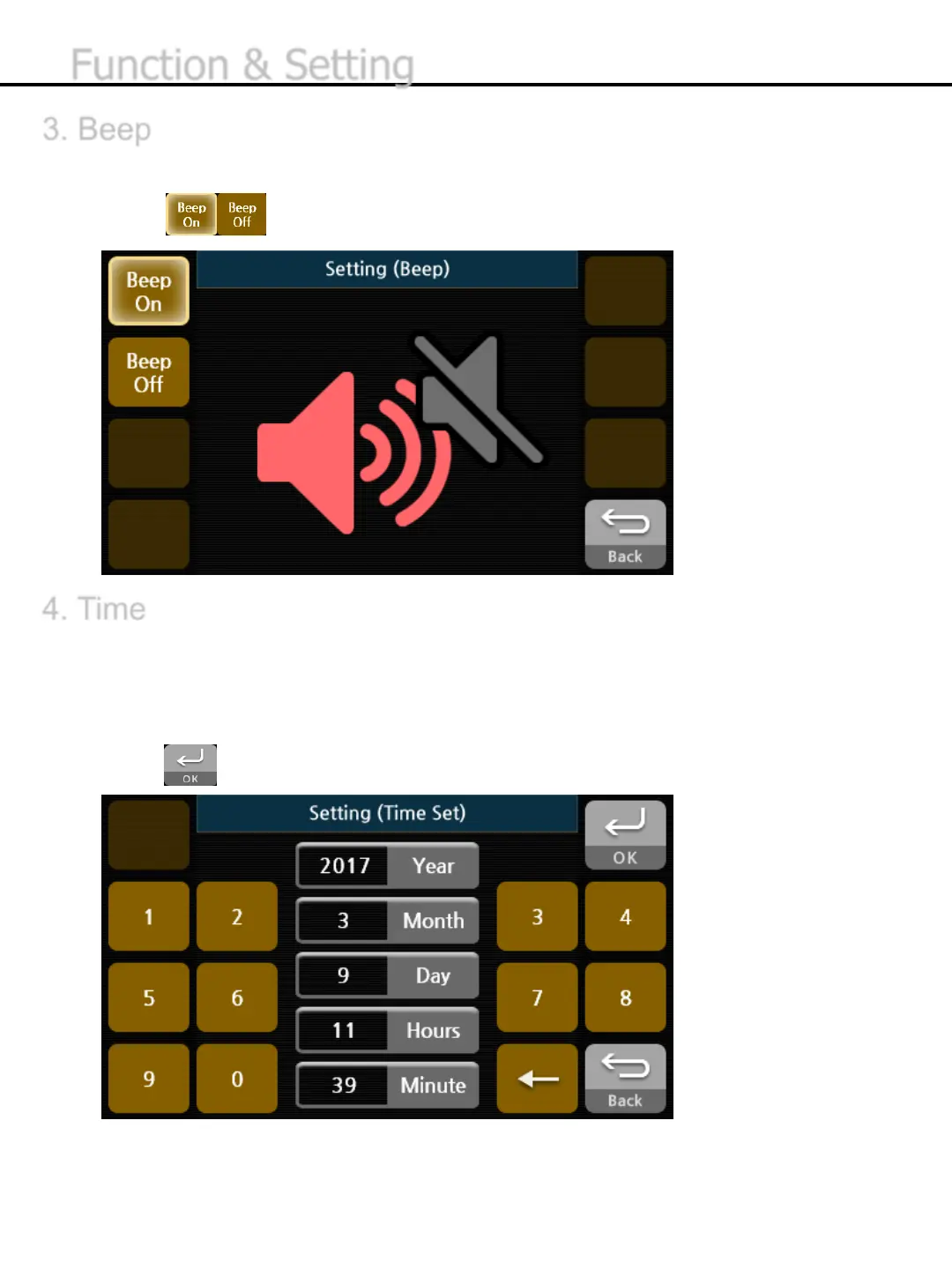
You can turn Beep on or off . If Beep sets ON, the beep sound will be generated when button is pressed.
1) Press button to turn it on or off.
.
You can set Date and Time.
1) Press the date and time buttons in the middle.
2) Enter the appropriate numbers for the selected date or time using the left or right numeric
buttons.
3) Press button to save the setting value..
-33-
Function & Setting


 To Next Page