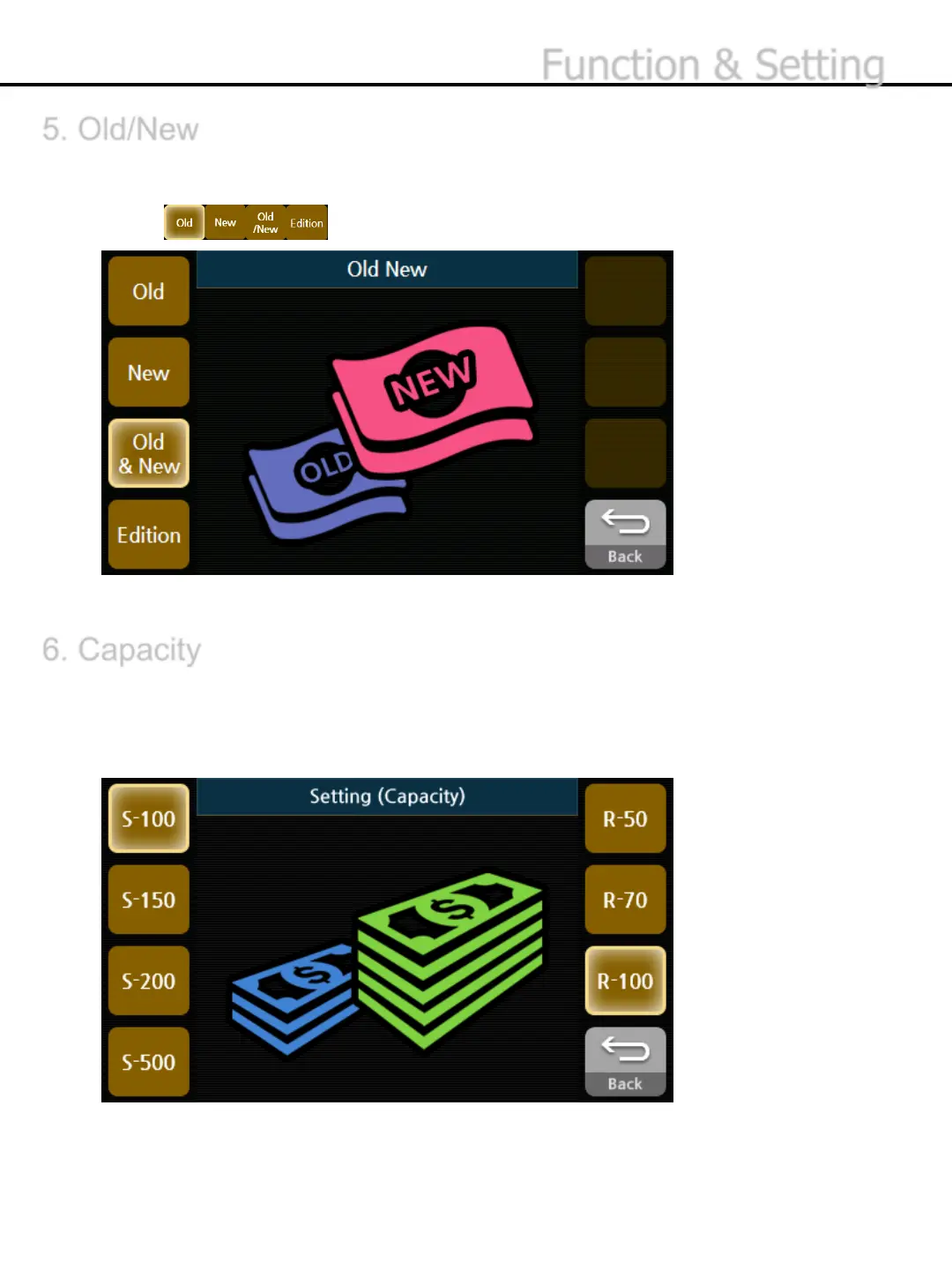
5. Old/New
6. Capacity
Counts separately by the edition. The edition, which is not selected, will be delivered to Reject
Pocket.
1) Press button to select the edition you want to count.
Sets the maximum capacity of the Stacker and Reject Pocket.
1) Select the maximum capacity of Stacker on the left, and select the maximum capacity of
Reject Pocket on the right.
* If you select S-500 ,Stacker should be emptied every 200 notes.
* The maximum setting for Batch is determined based on the selected capacity of Stacker.
-34-
Function & Setting
* Edition is to scan the first banknote and place all other notes in the same edition in the stacker. Any other
banknotes in the different edition will go to the reject pocket .


 To Next Page