User Manual
PT-E-HD50
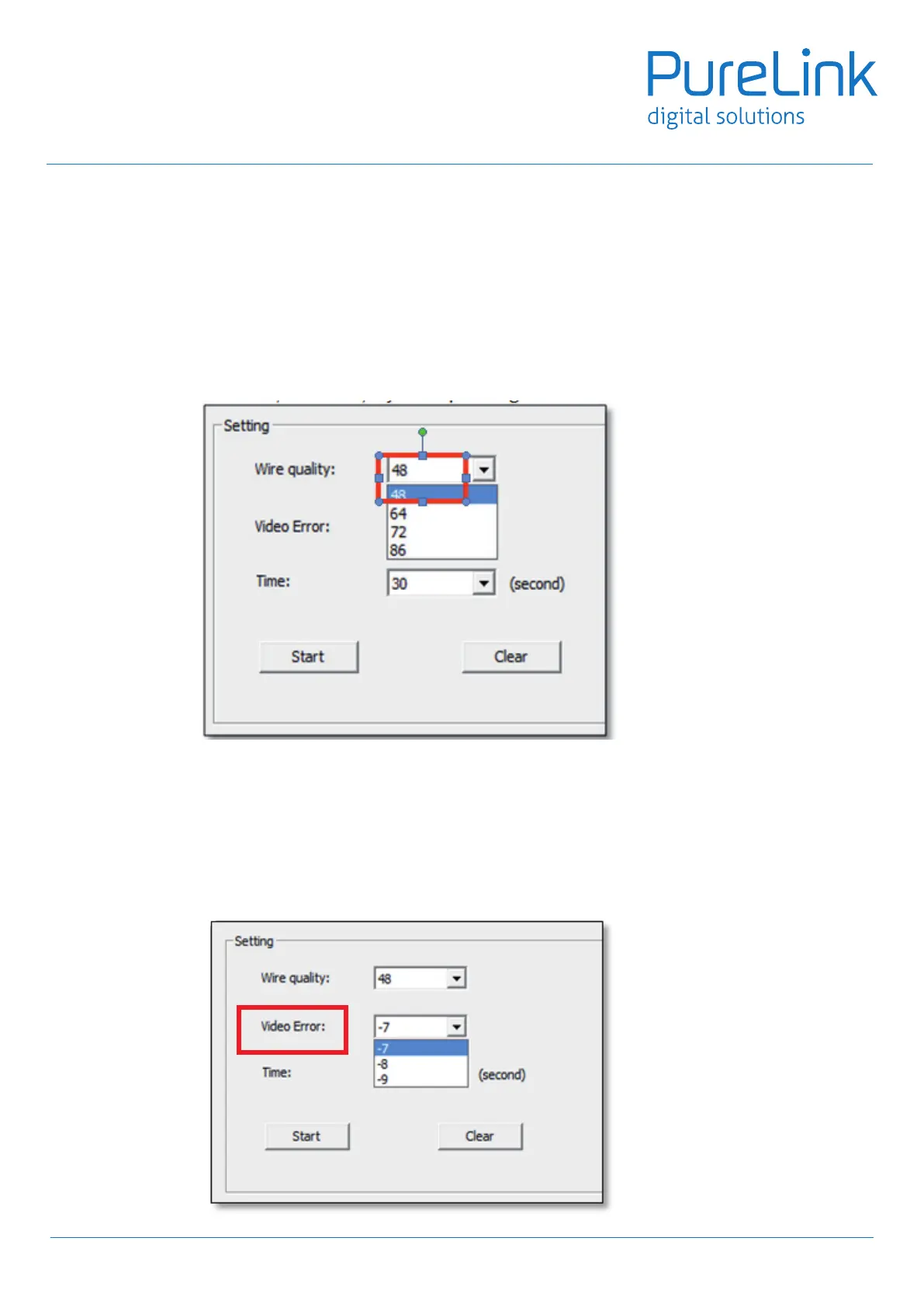
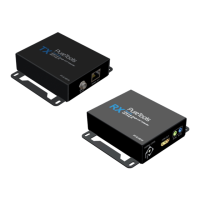
6. Fail-Safe Setting
Setting & saving the setting into on board MCU to ensure the stability during transmission.
6.1 Throughthismanualsetting,thedevicewillbeabletore-setoncetheselectedconditionsarefullledatthe
sametime,thiswillensurethequalityandstabilitywhensignalstransmission.
6.2 Sensitivity for fail-safe mechanism.
6.3 qualityinwire,pleasechoice48,viceversa
6.4 SelecttheSTDforvideoerror,accordingtoHDMIassociation,thetoleranceofBitErrorintransmitshouldbe
lessthan10-9,weuse-9tostandforthis,soifyouareinhightoleranceinsignalstransmiterror,pleasechoice-8
for standard.
17


 To Next Page