User Manual
PT-E-HD50
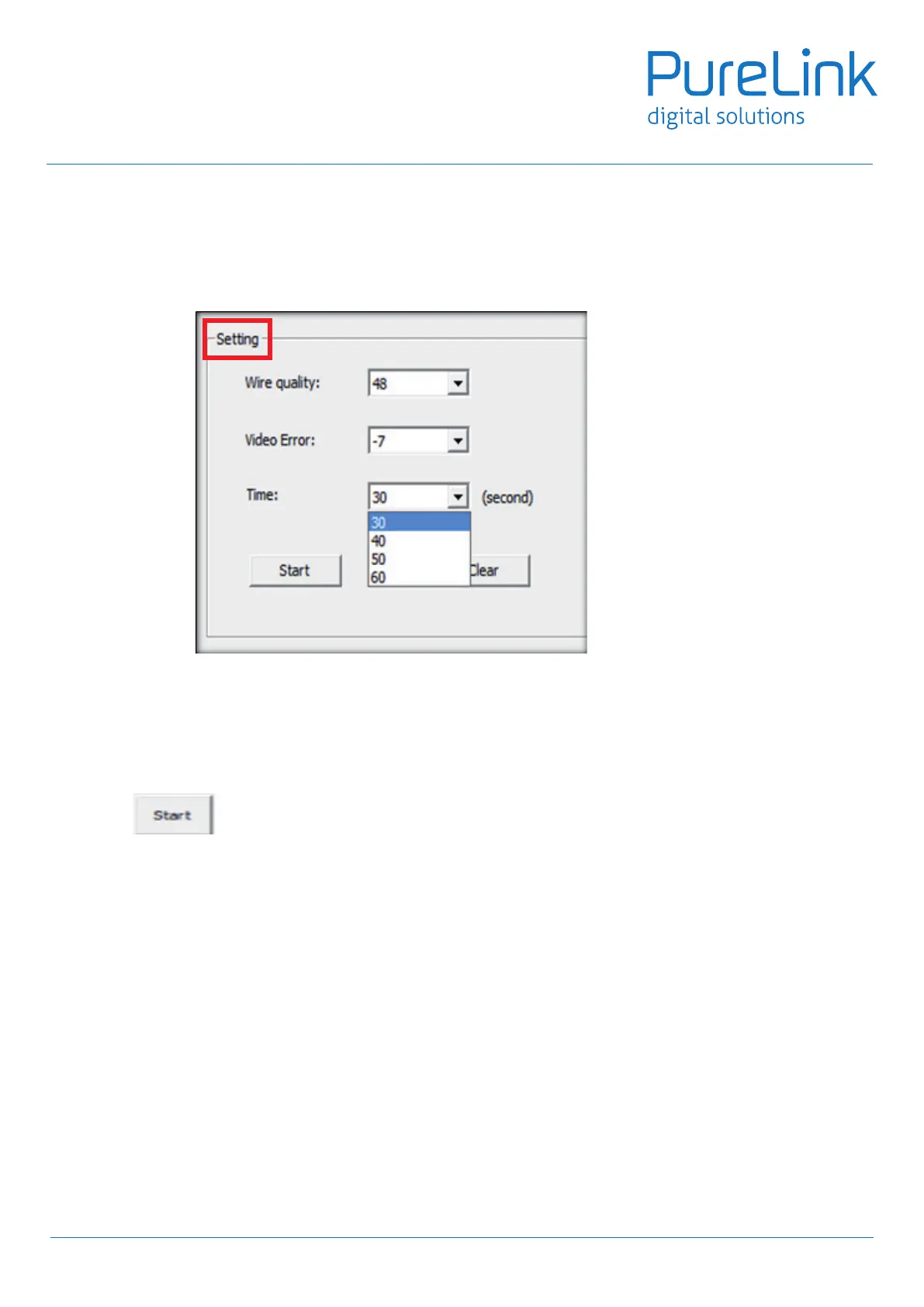
6.5 Selectthetimeinterval,actually,ourdevicewilldetectthefactorsevery0.5second,iftheabovetrouble
(wirequality/videoerror)lastaslongasthesettimeinterval,thedevicewillresetautomaticallytoensurethe
goodqualityinsignaltransmit.Whenyouchoice30s,thatmeansoncethetrouble(wirequality/videoerror)last
for30s(non-stop),themachinewillre-setimmediately,thatis,ifyouareinhighertoleranceinthetimeintervalof
trouble,youcanselect40secondorabove.
• The combination we suggest for standard usage is as below:
Wire Quality: 64
Video Error: -8
Time: 30 seconds
6.6 Pushtonishthesetting.
18


 To Next Page