iGen
®
Man u al Page 11
RETURN TO
NORMAL MODE
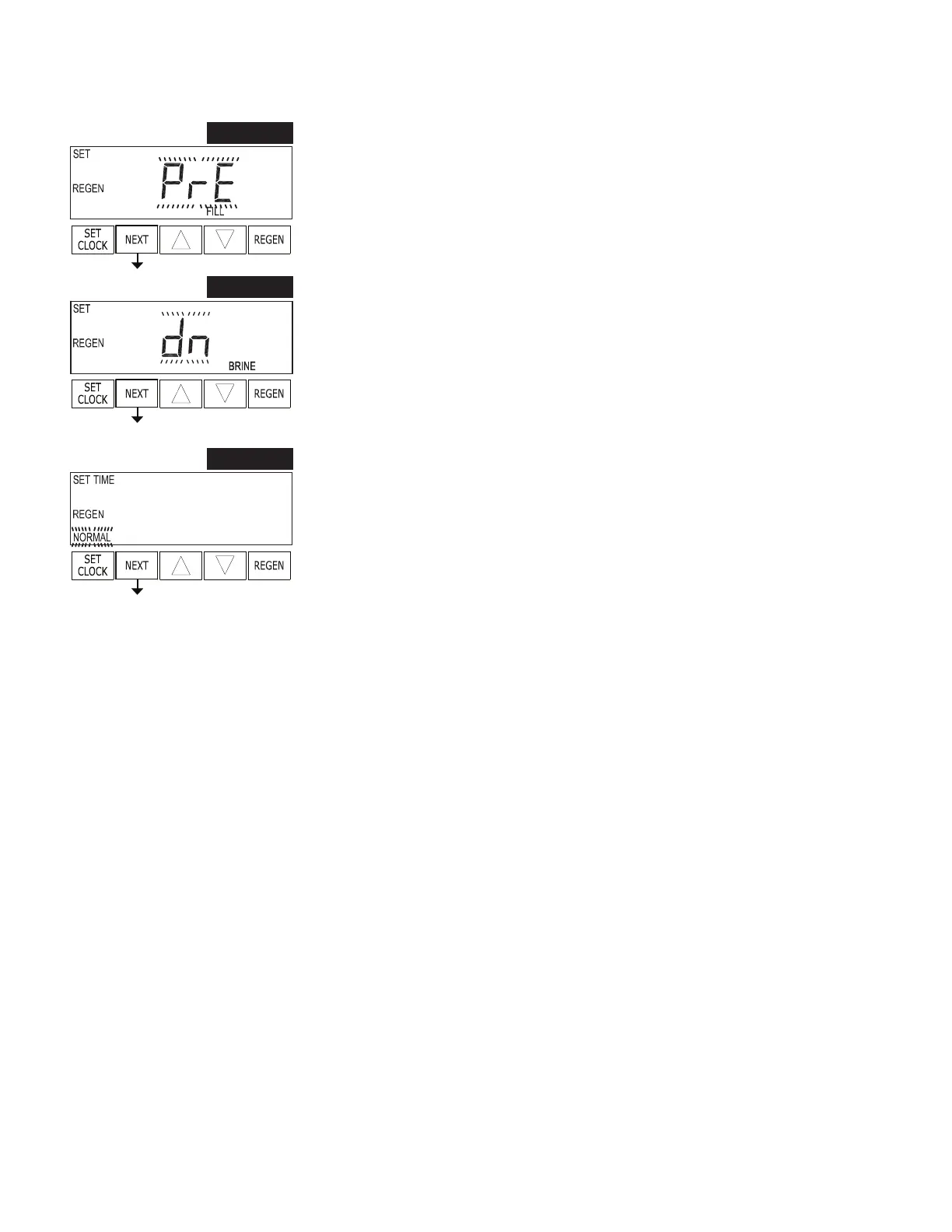
STEP 8S – Set Re ll option using ▲ or ▼:
• “PoST” to re ll the brine tank after the nal rinse; or
• “PrE” to re ll the brine tank two hours before the regeneration time set.
Press NEXT to go to Step 9S. Press REGEN to return to previous step.
STEP 8S
STEP 9S – Set regenerant down ow or up ow using ▲ or ▼:
• “dn” if the regenerant is to ow downward through the media; or
• “UP” if the regenerant is to ow upward through the media.
Prior to selecting a regenerant fl ow direction, verify the correct valve body, main piston,
regenerant piston, and stack are being used, and that the injector or injector plug(s) are in
the correct locations.
Press NEXT to go to Step 10S. Press REGEN to return to previous step.
STEP 9S
STEP 10S – Set Regeneration Time Option using ▲ or ▼:
• “NORMAL” means regeneration will occur at the preset time;
• “on 0” means regeneration will occur immediately when the gallons capacity
reaches 0 (zero); or
• “NORMAL + on 0” means regeneration will occur at one of the following:
• the preset time when the gallons capacity falls below the reserve or the
spec i ed number of days between regenerations is reached which ev er comes
rst; or
• after 10 minutes of no water usage when the gallon capacity reaches 0 (zero).
See Setting Options Table for more detail. Press NEXT to exit OEM Softener System
Setup. Press REGEN to return to previous step.
STEP 10S
OEM Softener System Setup (continued)


 To Next Page