iGen
®
Man u al Page 15
Service Alarm Settings
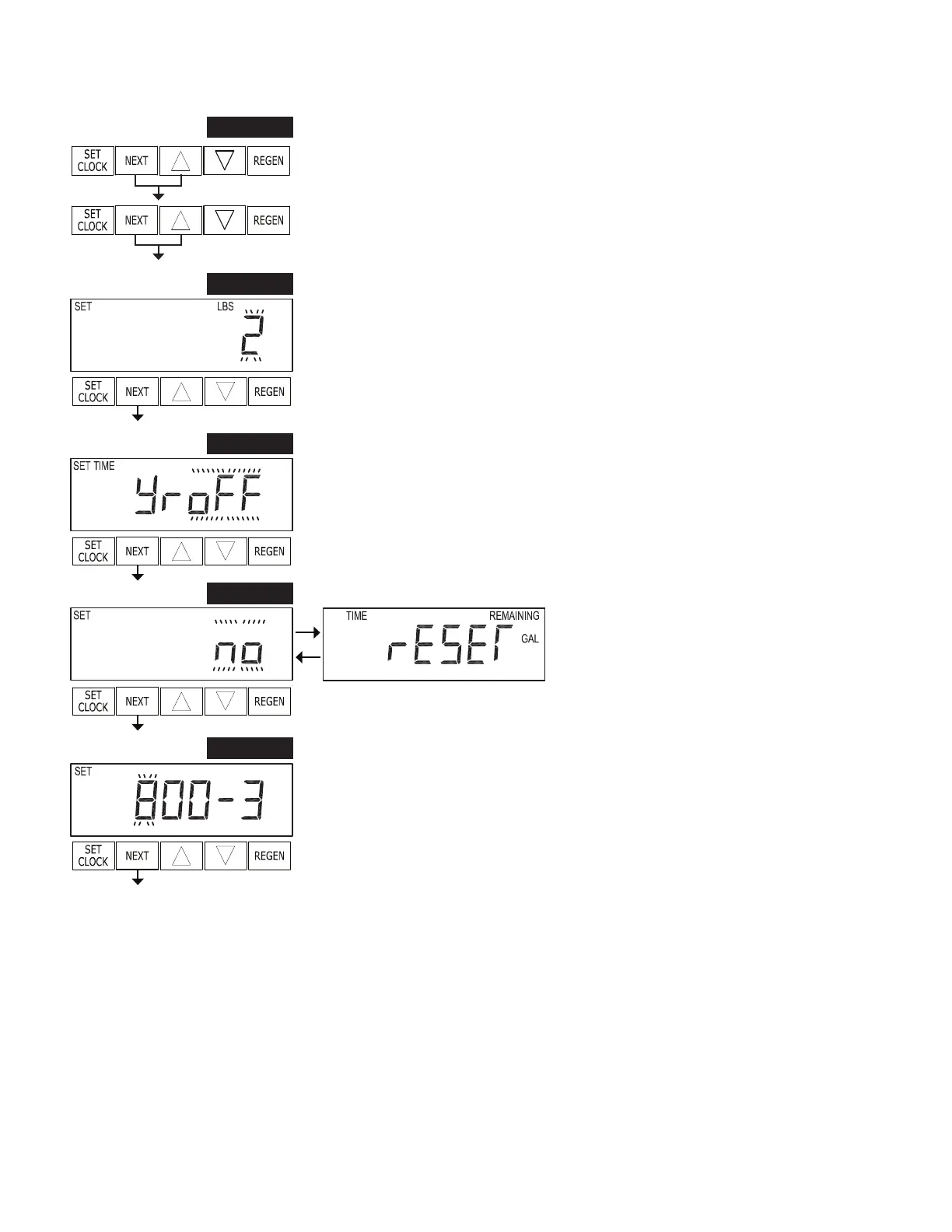
STEP 1SA – Press NEXT and ▲ simultaneously for approximately 3 seconds. Then
press NEXT and ▲ simultaneously for approximately 10 seconds.
STEP 1SA
STEP 2SA – Set Treatment Media Weight. Use ▲ or ▼ to select a weight in 1 lb.
increments from 1 to 14 lbs. or OFF. This value is multiplied by 37,500 and the result
will display in the User Screens. That value will decrement with usage.
Press NEXT to go to Step 3SA. Press REGEN to exit Service Alarm Settings.
STEP 2SA
STEP 3SA – Set time between scheduled service calls. Use ▲ or ▼ to select duration
in .25 year increments from 0.25 to 9.75 years, or OFF.
Press NEXT to go to Step 4SA. Press REGEN to return to previous step.
STEP 3SA
STEP 4SA – Reset time and gallons remaining
to Service Alarm. Setting YES will reset user
display back to the initial maximum value.
Press NEXT to go to Step 5SA. Press REGEN
to return to previous step.
STEP 4SA
STEP 5SA – Set Contact Phone Number for Service Alarm. Use ▲ or ▼ to set the
correct number, use NEXT to advance to the next number. Default: 800-339-8780.
Press NEXT to exit Service Alarm Settings. Press REGEN to return to previous
screen.
STEP 5SA
RETURN TO
NORMAL MODE


 To Next Page