iGen
®
Man u al Page 13
STEP 8F
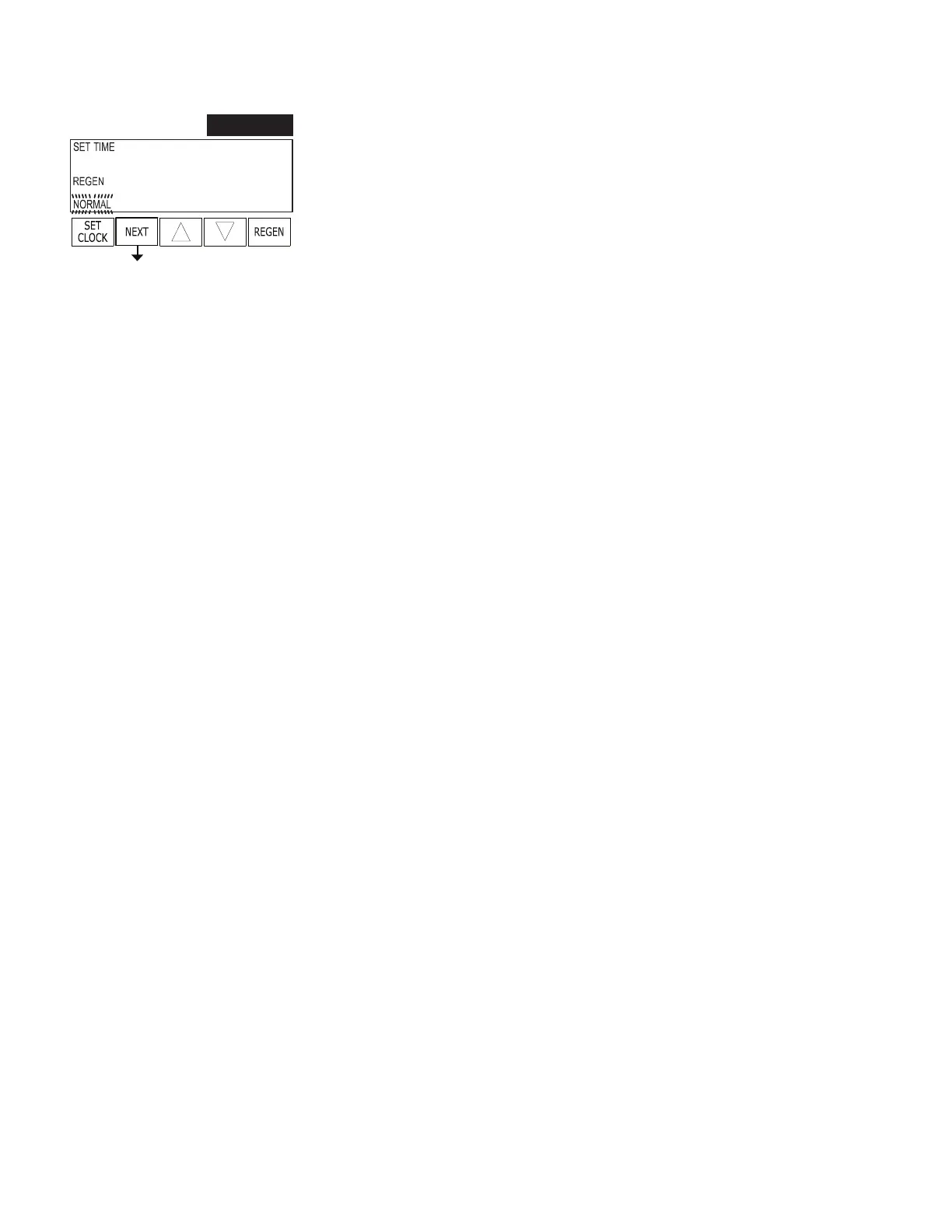
STEP 8F – Set Regeneration Time Option using ▲ or ▼:
• “NORMAL” means regeneration will occur at the preset time;
• “on 0” means regeneration will occur immediately when the gallons capacity
reaches 0 (zero); or
• “NORMAL + on 0” means regeneration will occur at one of the following:
• the preset time when the speci ed number of days between regenerations is
reached; or
• after 10 minutes of no water usage when the gallon capacity reaches 0 (zero).
This display will not appear if Step 6F is set to oFF.
See Setting Options Table for more detail. Press NEXT to exit OEM Filter System
Setup. Press REGEN to return to previous step.
RETURN TO
NORMAL MODE
OEM Filter System Setup (continued)


 To Next Page