Page 20 iGen
®
Man u al
When desired, all information in Diagnostics may be reset to zero when the valve is
installed in a new location. To reset to zero, press NEXT and ▼ simultaneously to go to
the Service/OEM screen, and release. Press ▲ and ▼ simultaneously to reset diagnostic
values to zero. Screen will return to user display.
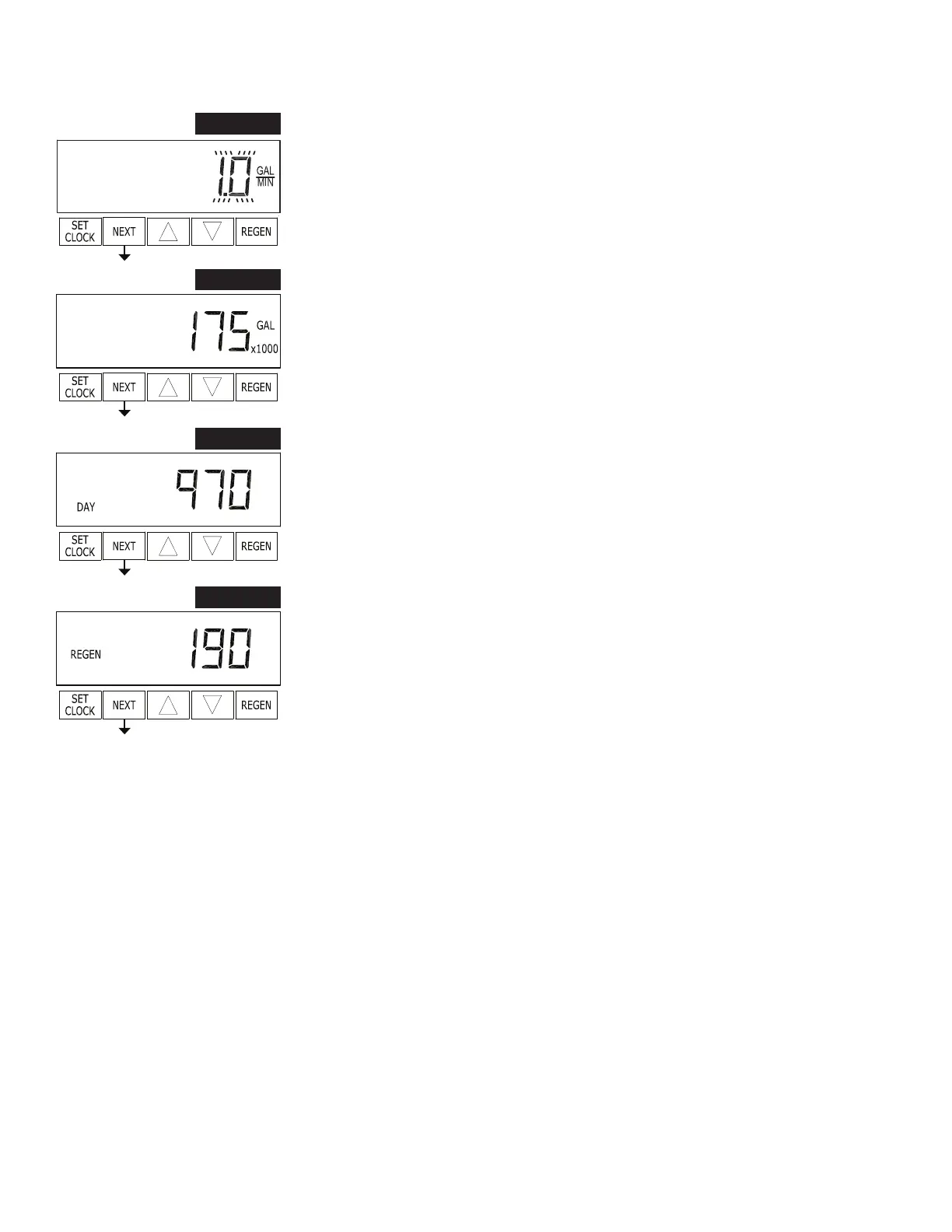
STEP 7D
STEP 7D – Flow rate, maximum last seven days: The maximum ow rate in gallons
per minute that occurred in the last seven days will be displayed. This display will
equal zero if a water meter is not installed. Press and hold ▲ and ▼ for approximately
3 seconds to reset to zero. Press NEXT to go to Step 8D. Press REGEN to return to
previous step.
STEP 8D
STEP 8D – Gallons, total used since last reset: The total number of gallons used since
last reset will be displayed. This display will equal zero if a water meter is not installed.
Press NEXT to go to Step 9D. Press REGEN to return to previous step.
STEP 9D
STEP 9D – Days, total number since last reset: The total number of days the control
valve has been in service since last reset will be displayed. Press NEXT to go to Step
10D. Press REGEN to return to previous step.
STEP 10D
STEP 10D – Regenerations, total number since last reset: The total number of
re gen er a tions that have occurred since last reset will be displayed. Press NEXT to exit
Di ag nos tics. Press REGEN to return to previous step.
RETURN TO
NORMAL MODE
Diagnostics (continued)


 To Next Page