USR-DR13X User Manual
Figure 20. Open web server via config software
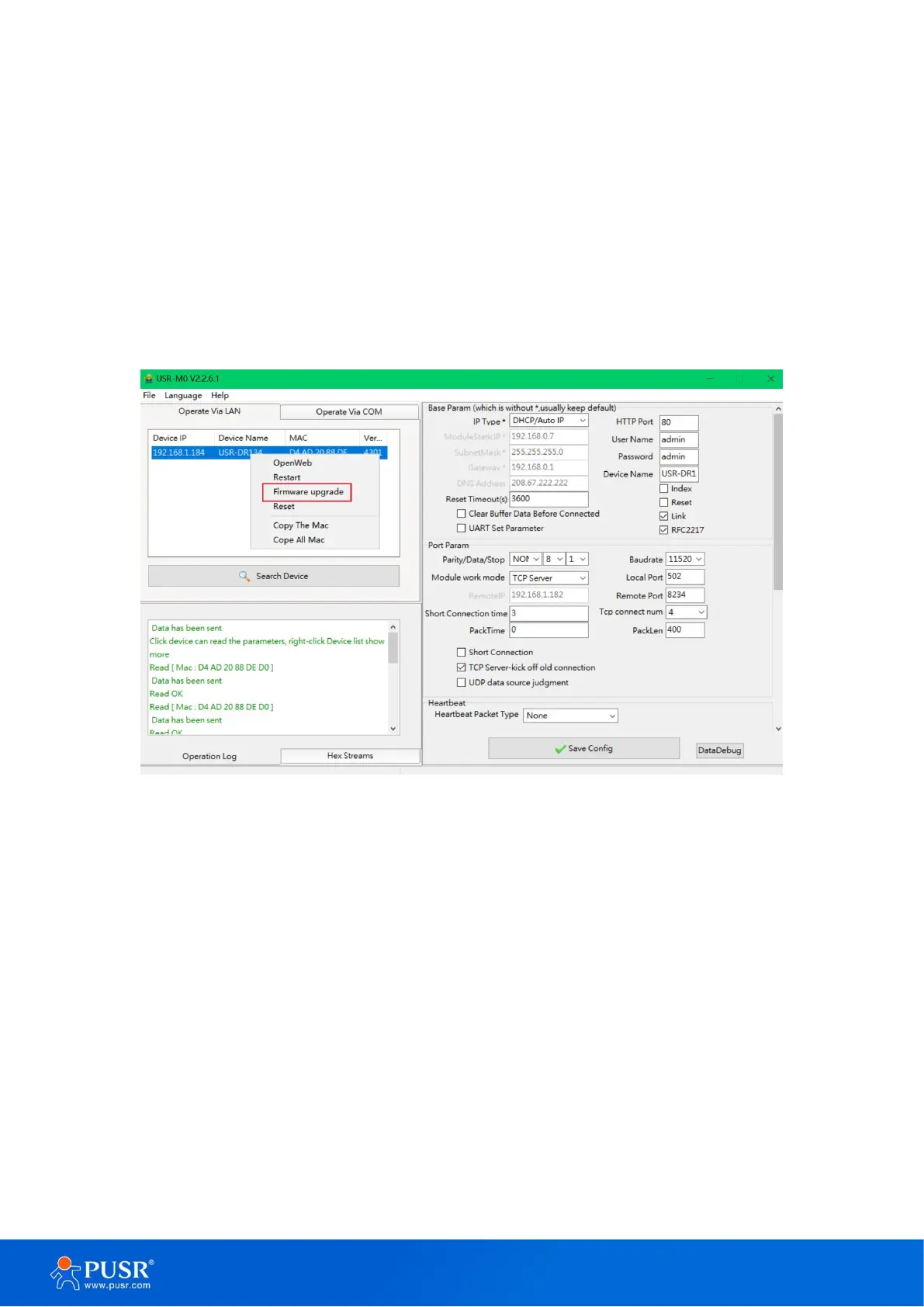
3.2.4. Firmware upgrade
USR IoT continually upgrades its firmware to add new features and optimize performance. Please contact
the sales to obtain the latest version of the firmware. Users can upgrade the firmware by themselves. When
upgrading firmware, the 30X device must be in the same LAN network with PC.
3.Right-click a
desired device to display the settings menu,
4.Select Firmware upgrade
Figure 21. Firmware upgrade
3.2.5. Restart the device
This function is available to allow you to reset the serial device server. The function disconnects both the
ethernet and serial connections. The function also allows the serial device server to save new configuration
settings to flash memory. To reset the device:
5.Right-click a desired device to display the settings menu,
6.
Select Restart


 To Next Page