USR-DR13X User Manual
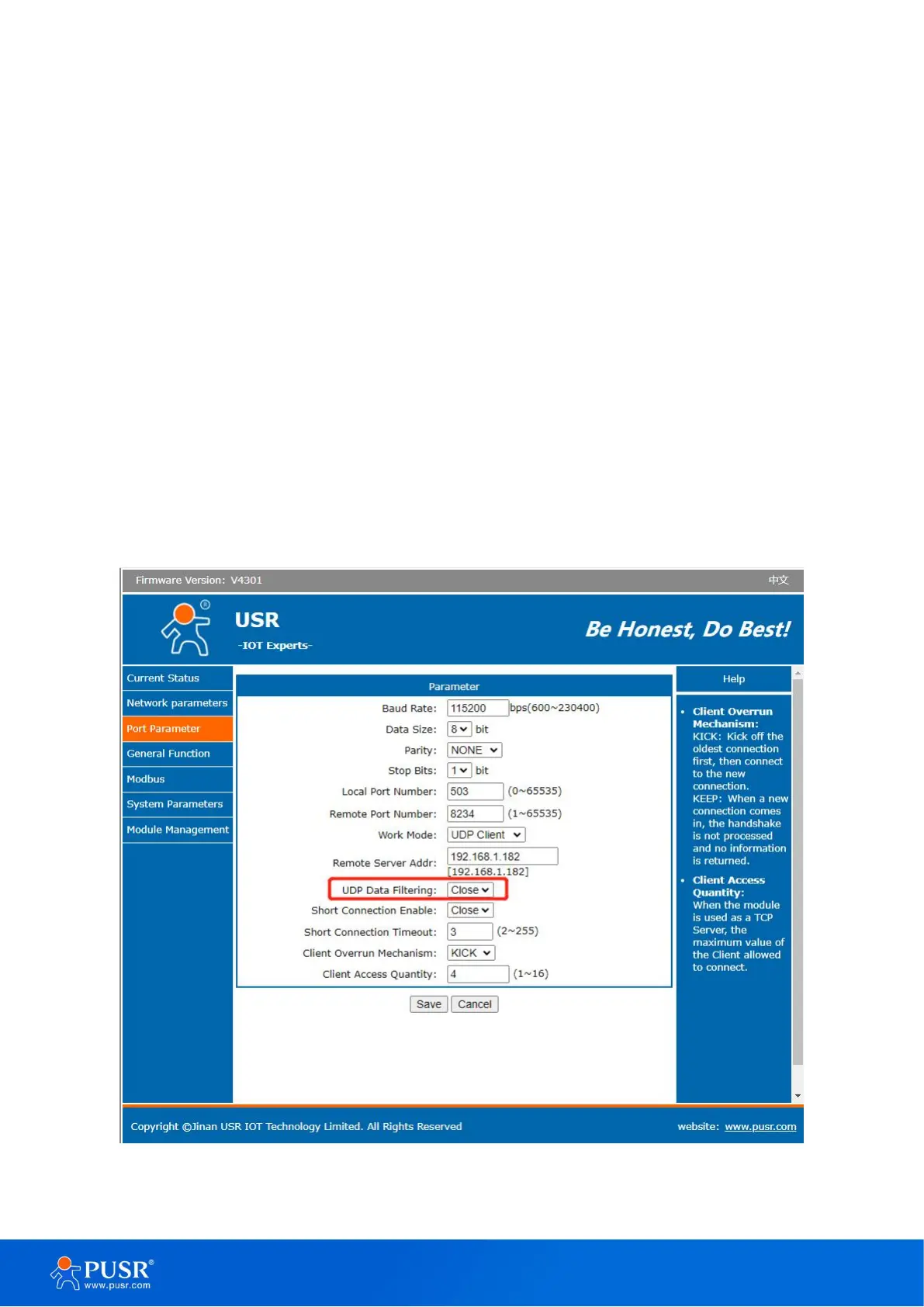
4.4.2. UDP data filtering
UDP data filtering can verify the data source when DR13X work at UDP Client mode and filter out IP and port
numbers that do not meet the conditions. This function can be enabled by built-in webpage, config software.The
remote server address can be set as host IP , broadcast IP.
If the target IP is 255.255.255.255: USR-DR 13X only determines whether the data source port is the same as the
device’s destination port. If they are the same, the network data is output from the serial port. If they are different,
the network data is discarded.
If the target IP is 192.168.1.255: USR-DR 13X judges whether the data source port is the same as the target port,
and judges whether the IP is an IP within the segment. The qualified data is output from the serial port, otherwise
it is discarded.
If the target IP is host IP like 192.168.1.182: USR-DR 13X determines whether the data source port and IP are the
same as the target port and IP of DR 13X. If the data is the same, the data is output from the serial port, otherwise
the data is discarded.
Figure 37. Settings of UDP broadcast


 To Next Page