USR-DR13X User Manual
Figure 4. Test software
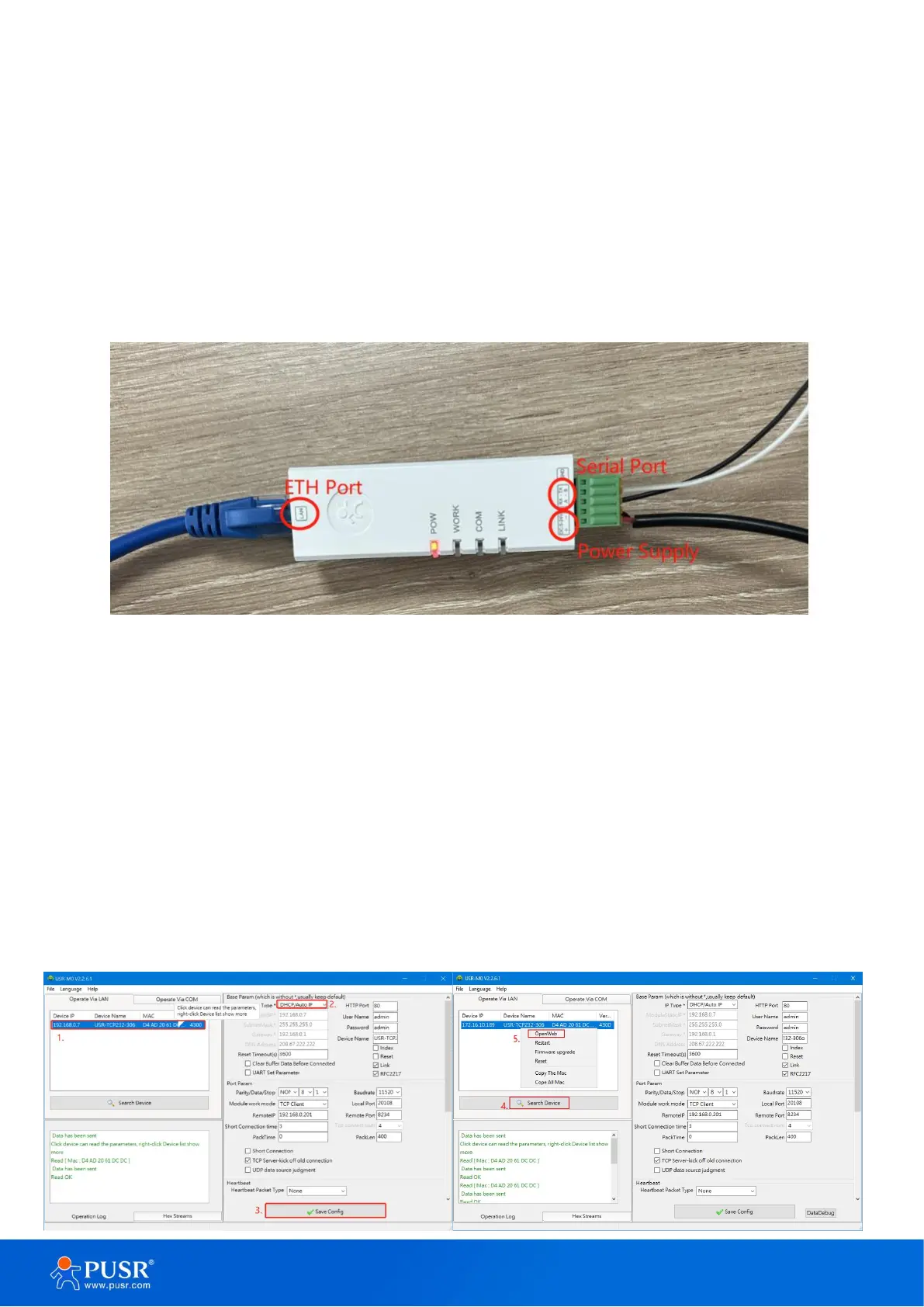
2.2.2. Hardware connection
For fast networking of USR-DR13X series serial server, you need to prepare a PC, a router, a serial server, a
network cable, a serial cable, and a DC5V/1A power supply. The hardware connection is shown in following
figure. To establish a TCP / IP network all devices must be connected to the same network either locally or via
gateway connections.
Figure 5. Hardware connection
2.2.3. Parameter configuration
Using the config software,
1.Users can search out the DR13X device,
2.Set the IP type as DHCP/Auto IP,
3.Save config,
4.Search the device again,
5.Open the webpage,the user will be navigated to the login page, the username and password are both
“admin”.


 To Next Page