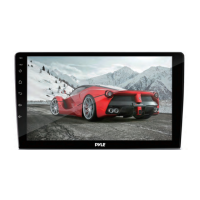
Control Panel
-15-
9 (EJECT) BUTTON
Press it button to eject the DISC or insert the DISC to start play .
11 SD/MMC CARD SLOT
8 SELECT BUTTON
To access the available adjustment settings for audio and video, press this
button repeatedly to cycle through and select them:
Tint Contrast Bright Color Fader
Buzzer Volume Bass Treble Balance
7 /CH 1-6 BUTTON(RADIO PRESET)
-Store in Memory
>
-Retrieve a preset station
A)
Press this button to pause playback, press it again to resume playback.
B)
you can store 30 stations in memory: 18 FM stations and 12 AM(MW)
stations, each band stores up to six preset stations .
Select the frequency band
> Press repeatedly the button to select the desired memory key .
> Select the station
> Keep the desired memory key pressed in until the station is heard again
after a brief interruption .
press the button repeatedly to retrieve a station which had been
stored in the memory in advance the chose number is shown on display .
In Disc Playback Mode
In Radio Mode
6 REL BUTTON
Press this button to release the front panel for removal . Refer to see page 7.
10 USB OPERATION
For information about connecting a USB device, please see page 33.
12 RESET BUTTON
Press this button to return to factory settings .



 To Next Page