EasyManua.ls Logo

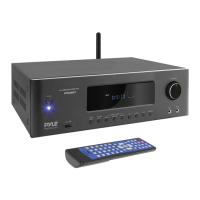
Pyle PT696BT - User Manual

Pyle PT696BT
9 pages
Print Icon
To Next Page IconTo Next Page
Loading...
PYLE
PyleUSA.com
PT696BT
5.2-Ch Surround Sound Stereo Amplifier System
with 4K Ultra HD Support, MP3/USB/AM/FM Radio (1000 Watt MAX)
USER MHNUHL
PYLE
VISIT US ONLINEi
Have a question?
Need service or repair?
Want to leave a comment?
V
PyleUSA.com/ContactU$
PyleUSA.com
Questions? Issues?
We are here to help!
Phone: (1)718-535-1800 Email:
support@pyleusa.com

Questions and Answers

  • S
    Stephanie NelsonSep 12, 2025
    How to troubleshoot a Pyle Amplifier with no display?
    • M
      Miguel CastilloSep 12, 2025
      If your Pyle Amplifier has no display, the problem might be a poor connection or lack of electricity in the power socket. Check the power supply and plug of the socket.
  • M
    Michele PattersonSep 13, 2025
    What to do if the channel sound is wrong on my Pyle Amplifier?
    • K
      kjohnsonSep 13, 2025
      If the channel sound is incorrect on your Pyle Amplifier, the channel sound mode might not be set correctly. Press 'CH. MODE' on the panel or remote control.
  • B
    Brandon PowellSep 15, 2025
    Why can't music files in USB be played for a long time on my Pyle Amplifier?
    • M
      Mark LewisSep 15, 2025
      If music files in your USB cannot be played for a long period of time on your Pyle Amplifier, the USB files might not be supported. Delete any unsupported files from the USB drive.

Summary

Safety Precautions and Radio Station Operation

General Safety Precautions

Guidance on avoiding hazards like electric shock, heat, and internal part damage.

Front and Rear Panel Overview

Front Panel Controls

Detailed explanation of buttons, knobs, and jacks on the front of the receiver.

Rear Panel Connections

Identification and function of all input and output jacks on the rear panel.

Remote Control Functions

Remote Control Layout

Mapping of buttons on the remote control to their specific functions.

Advanced Features and Settings

USB and Bluetooth Operation

Guide to playing music from USB drives and connecting via Bluetooth.

Troubleshooting and Product Information

Troubleshooting Common Issues

Solutions for problems like no display, no sound, and remote control malfunctions.

Technical Specifications and Connectivity

Pyle PT696BT Specifications

General IconGeneral
BrandPyle
ModelPT696BT
CategoryReceiver
LanguageEnglish

Related product manuals