EasyManua.ls Logo

Pylontech Force-H2 - User Manual

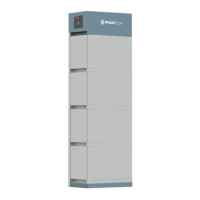
Pylontech Force-H2
40 pages
Print Icon
To Next Page IconTo Next Page
Loading...
Lithium-Ion Phosphate Energy Storage System
Force-H2 Operation Manual
Information Version: 2.2
20P2FH0301
Lithium-Ion Phosphate Energy Storage System

Questions and Answers

  • T
    Timothy ChapmanJul 27, 2025
    What to do if the status LED is solid orange and battery module LED is orange on Pylontech Battery Pack?
    • J
      Jennifer ConradJul 27, 2025
      If the status LED is solid orange and a battery module LED is solid orange, it could be due to: * **Over/under temperature protection:** Check the environment temperature and wait for the BMS to release the protection. * **Over voltage protection:** Verify the DC charge voltage setting or wait for the BMS to release. * **Under voltage protection:** Use the black start function and then charge the system. * **Battery module BMS failure:** Requires further analysis with a debug tool or replacement of the battery module.
  • V
    vincentleeJul 31, 2025
    Why Pylontech Battery Pack has no power output and no LED is on?
    • J
      Joseph WolfeJul 31, 2025
      If your Pylontech Battery Pack has no power output and no LEDs are on, consider the following: * Ensure you press the start button for at least 5 seconds to turn on, or 10 seconds for a black start. * The button battery in the controller might be missing or faulty, consider changing the controller module. * The battery voltage may be too low, make sure you have at least 2 battery modules. * The base connector might be faulty, ensure the base is connected correctly or replace it.
  • C
    Cameron HerreraAug 5, 2025
    What to do if Pylontech Force-H2 Battery Pack status LED slow flashing orange after turned on?
    • S
      Scott KennedyAug 5, 2025
      If, after turning on your Pylontech Battery Pack, the status LED is slowly flashing orange while others are off, it could indicate: * A self-checking failure: Ensure there is no DC voltage or set the correct DC voltage before pressing the start button, then follow the correct turn-on procedure. The DC side has a voltage, but the voltage difference with the battery system is higher than 20V. * A BMS internal failure: Use a debug tool for further analysis or replace the controller module.
  • B
    Brandon DuncanAug 9, 2025
    How to fix Pylontech Force-H2 Battery Pack when status LED is solid orange and battery module LED is blue?
    • J
      Julie MurphyAug 9, 2025
      If the status LED is solid orange and the battery module LED is solid blue on your Pylontech Battery Pack, check the communication cable PIN and wiring to ensure they are correct, as this indicates a communication loss with the inverter.
  • J
    john44Aug 13, 2025
    Why is the status LED fast flashing orange on my Pylontech Force-H2 Battery Pack?
    • N
      Nicholas DavisAug 14, 2025
      If the status LED is fast flashing orange while the others are off on your Pylontech Battery Pack, it could be due to: * The time interval after the last black start is too short: Wait more than 5 minutes before attempting another black start. * The battery system is under an error condition (temperature or current protection, or other error): Ensure there are no other protection factors active, or use a debug tool for further analysis.
  • S
    Steven ParkAug 17, 2025
    What to do if Pylontech Force-H2 buzzer rings continue?
    • V
      vaughnjoyAug 17, 2025
      If the buzzer rings continuously on your Pylontech Battery Pack, it may be due to relay adhesion or failure. Completely disconnect the battery system from any DC source and restart it. If the problem persists, swap the controller.
  • L
    Laura BeckAug 22, 2025
    Why Pylontech Force-H2 has all LEDs blue but no output?
    • M
      Madison CurryAug 22, 2025
      If all LEDs are blue on your Pylontech Battery Pack but there is no output, the fuse may be blown. Replace the controller module.

Summary

1. Safety

1.1 Symbol

Explains various safety symbols and their meanings, including danger, warning, and caution.

1.2 Before Connecting

Precautions and checks to perform before connecting the system, such as product inspection and wiring.

1.3 In Using

Guidelines for safe system operation and usage, including handling, connection, and usage restrictions.

2. System Introduce

2.1 Product Introduce

Overview of the Force-H2 high voltage battery storage system and its applications.

2.2 Specifications

Technical specifications of the Force-H2 system, covering various parameters.

3. Installation

3.1 Tools

Lists the required tools for installing the battery pack, such as cutters, pliers, and screwdrivers.

3.2 Safety Gear

Recommends wearing essential safety gear like insulated gloves, goggles, and safety shoes during installation.

3.3 System Working Environments Checking

Checks for environmental suitability, including cleaning, temperature, fire extinguisher, and grounding.

3.4 Handling and placement

Guidelines for handling and placing battery modules and the base, including weight and access restrictions.

4. System Debug

Prepare of debug

Initial steps and precautions before system debugging, emphasizing system power-on and load handling.

Working together with inverter

Steps for debugging when the system is integrated with an inverter, focusing on communication and parameters.

5. Maintenance

5.1 Trouble Shooting

Provides a table of common problems, their possible reasons, and solutions for troubleshooting the system.

5.2 Replacement of main component

Details procedures for replacing main system components like battery modules and control modules.

5.3 Battery Maintenance

Outlines periodic maintenance tasks for the battery system, including voltage, SOC, and cable inspections.

6. Storage Recommendations

6.1 Long-term storage recommendations

Guidelines for long-term storage of battery cells, including temperature, humidity, and charge level.

7. Shipment

7.1 Battery module shipment

Information regarding battery module pre-charge, shipment conditions, and compliance with standards like UN38.3.

Pylontech Force-H2 Specifications

General IconGeneral
Nominal Capacity3.55 kWh
Battery TypeLithium Iron Phosphate (LiFePO4)
CommunicationCAN, RS485
CertificationCE, UN38.3, IEC62619
Warranty10 years
Operating Temperature Range-10°C to 50°C
Storage Temperature Range-20°C to 60°C
IP RatingIP20
Cycle Life>6000 cycles

Related product manuals