EasyManua.ls Logo

Pylontech Force-L2 - User Manual

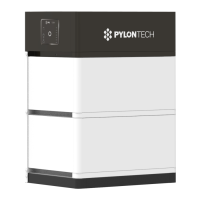
Pylontech Force-L2
35 pages
Print Icon
To Next Page IconTo Next Page
Loading...
Information Version: 2.2
20P2FL0301
Lithium-Ion Phosphate Energy Storage System
Force-L2 Operation Manual

Other manuals for Pylontech Force-L2

Questions and Answers

  • C
    Cory RossJul 27, 2025
    Why is the status LED light on orange on my Pylontech Storage?
    • M
      Michael DaviesJul 27, 2025
      If the status LED on your Pylontech Storage system is orange, it indicates an error with the controller module. Try restarting or replacing the controller. It could also mean a cell, module, or controller is under protection. In this case, check the battery LED and debug. Press the start button for 10 seconds; if there's power output, charge the system. If not, use a debug tool for further checking. If these steps don't resolve the issue, replace the controller.
  • D
    Dylan CoxJul 31, 2025
    What to do if all 7 batteries LEDs flash orange on Pylontech Storage?
    • K
      Keith WebbJul 31, 2025
      If your Pylontech Storage system shows all 7 batteries LEDs flashing orange, it indicates an address distribution failure. Try changing the controller. Alternatively, remove the battery modules one by one and restart the system until it works. The last module removed is likely the faulty one.
  • D
    Dawn MccoyAug 4, 2025
    What to do if the status led slow flash orange on Pylontech Force-L2?
    • K
      kevin11Aug 4, 2025
      If the status LED on your Pylontech Storage is slowly flashing orange, it means the voltage or temperature is too low or too high. If the temperature is abnormal, put the battery system in a normal environment and wait for the protection to release. If the temperature is normal, disconnect the power cable and try a black start operation. If it works, monitor the voltage at the DC terminal; if it's too low, turn off the system and charge it. If the black start doesn't work, use a debug tool for further checking.
  • C
    Christopher TaylorAug 9, 2025
    What to do if a single battery LED light on orange on Pylontech Force-L2 Storage?
    • M
      Morgan MooreAug 9, 2025
      If a single battery LED is lighting up orange on your Pylontech Storage, it indicates a battery module failure or that it is under protection because the cell or module voltage or temperature is too low or too high. To resolve this, charge the system using an inverter or charger (53.5V, ? 10A). If it returns to normal, the system is working. If not, replace the battery module.
  • G
    glassjamesAug 13, 2025
    How to fix no power output and no led on in Pylontech Storage?
    • D
      Darrell BradyAug 13, 2025
      If your Pylontech Storage system isn't providing power and no LEDs are lit, it could be due to several reasons. First, ensure you press the start button for at least 2 seconds. If that doesn't work, the button battery in the controller might be missing or the power supply in the controller might have failed, in which case you should change the controller module. Another possibility is that the battery voltage is too low, requiring you to change the first battery module.
  • N
    nwoodardAug 18, 2025
    What does it mean when a single battery led slow flash orange on Pylontech Force-L2 Storage?
    • L
      Lauren WhiteAug 18, 2025
      If a single battery LED is slowly flashing orange on your Pylontech Storage, it indicates that the battery module is offline. Charge the system using an inverter or charger (53.5Vdc, ? 10Amps). If it returns to normal, the system is working; otherwise, replace the battery module.
  • M
    Mr. Michael GonzalezAug 22, 2025
    What does it mean if a single battery led flash blue on Pylontech Storage?
    • K
      Kristen HughesAug 22, 2025
      If a single battery LED flashes blue on your Pylontech Storage, it indicates an alarm. You can ignore it, as the system should still function normally.

Summary

Safety Precautions

Safety Symbols and Meanings

Explains various safety symbols and their meanings used in the manual.

Pre-Connection Safety Precautions

Crucial steps and warnings to follow before connecting the battery system.

Safe Operation Guidelines

Important guidelines for safe operation of the battery system during use.

System Introduce

Force-L2 System Overview

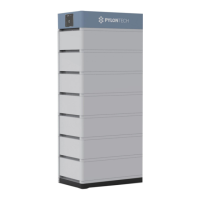
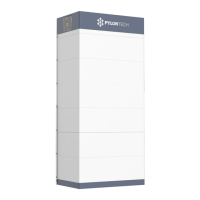
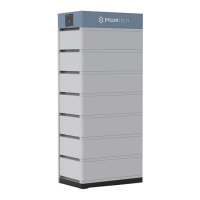
Overview of the Force-L2 battery storage system developed by Pylontech.

Force-L2 System Specifications

Detailed technical specifications of the Force-L2 system.

System Parameters

Technical parameters related to the Force-L2 system configuration.

Battery Module Specifications

Specifications for the FL4874M battery module used in the system.

Control Module Specifications

Details and specifications for the FC0048M-100S control module.

System Diagram

Visual representation of the system's electrical connections and components.

Installation

Installation Tools and Safety Gear

Lists required tools and recommended safety gear for battery pack installation.

Environment Checks for Installation

Verifies environmental conditions like temperature and cleanliness for system installation.

Handling and Placement Guidelines

Guidelines for safely handling and positioning the battery system units.

Base Mounting and Installation

Steps for mounting and installing the base unit of the battery system.

Module and Control Module Stacking

Procedure for stacking battery modules and the control module.

Metal Bracket Installation

Instructions on how to install metal brackets for system stability.

Control Module Securing

Steps for securing the control module with screws and brackets.

Cable Connections

Connecting power and communication cables to the system.

Grounding Procedure

Detailed steps for ensuring proper grounding of the battery system.

Cable Types and Usage

Information on power and communication cables used in the system.

System Power On Procedure

Step-by-step guide to safely powering on the battery system.

System Power Off Procedure

Procedure for safely shutting down the battery system.

System Debug

Debug Preparation Steps

Initial steps required before proceeding with system debugging.

Inverter Integration Debugging

Debugging procedures involving the integration of the battery system with the inverter.

Maintenance

Troubleshooting Common Issues

Identifies common problems and provides solutions for the battery system.

Battery Module Replacement

Detailed steps for safely replacing a battery module in the system.

Control Module Replacement

Detailed steps for safely replacing the control module (BMS).

Battery Maintenance Procedures

Routine checks and maintenance tasks to ensure battery health and performance.

Storage Recommendations

Long-Term Storage Recommendations

Guidelines for storing the battery system long-term to maintain cycle life.

Shipment

Shipment and Certification Details

Information on battery pre-charge, UN38.3 certification, and transport regulations.

Pylontech Force-L2 Specifications

General IconGeneral
Battery TypeLithium Iron Phosphate (LiFePO4)
Nominal Voltage51.2 V
Capacity per Module3.55 kWh
Usable Energy3.2 kWh
Operating Temperature-10°C to 50°C
Communication InterfaceCAN, RS485
Warranty10 years
Peak Discharge Current (3 sec)100 A
Protection DegreeIP20
Cycle Life6000 cycles at 80% DoD

Related product manuals