EasyManua.ls Logo

Pylontech Force-H1 - User Manual

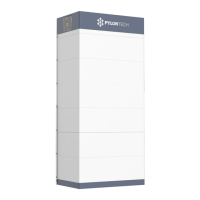
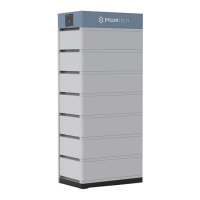
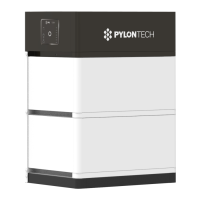
Pylontech Force-H1
43 pages
Print Icon
To Next Page IconTo Next Page
Loading...
Lithium-Ion Phosphate Energy Storage System
Force-H1 Operation Manual
Information Version: 2.3
20PIFH0303

Questions and Answers

  • J
    Jacob LopezJul 28, 2025
    What to do if Pylontech Storage status LED is solid orange and battery module exists LED in orange solid?
    • D
      David RamseyJul 28, 2025
      This indicates a protection issue. It could be due to over or under temperature, so check the environment temperature and wait for the BMS to release. Alternatively, it could be over voltage, so check the DC charge voltage setting and wait for BMS release. It may also indicate under voltage protection, in which case you should use the black start function and then charge the system. Finally, the battery module BMS may have failed, requiring further analysis with a debug tool or replacement of the battery module.
  • J
    James VaughnAug 2, 2025
    Why is my Pylontech Force-H1 Storage not outputting power and no LEDs are on?
    • J
      Jamie KnightAug 2, 2025
      This issue can occur for several reasons. First, ensure you press the start button for at least 5 seconds to turn on, or 10 seconds for a black start. If that doesn't work, the button battery in the controller might be missing or faulty, requiring a controller module replacement. Also, the battery voltage might be too low, so make sure you have at least 3 battery modules. Lastly, the base connector might be faulty, needing reconnection or replacement.
  • D
    Donna MurphyAug 7, 2025
    What to do if Pylontech Force-H1 Storage status LED is solid orange and battery module LED is blue solid?
    • D
      Donald BlackburnAug 7, 2025
      This indicates a communication problem with the inverter. Check the communication cable PIN and wiring to ensure they are correctly connected.
  • M
    Martha LoganAug 11, 2025
    What to do if Pylontech Force-H1 Storage buzzer rings continuously?
    • J
      James PattonAug 12, 2025
      The continuous ringing suggests relay adhesion or failure. Completely disconnect the battery system from any DC source and then restart it. If the problem persists, swap the controller.
  • J
    Joseph EvansAug 17, 2025
    What to do if Pylontech Force-H1 status LED is fast flashing orange, and others are off?
    • J
      Joanne AdamsAug 17, 2025
      This could be happening because the time interval after the last black start was too short. Wait more than 5 minutes before attempting another black start. Alternatively, the battery system might be under an error condition, such as temperature or current protection. Ensure there are no protection triggers active, or use a debug tool for further analysis.
  • J
    Jennifer ManningAug 22, 2025
    What does it mean if after turned on, status LED slow flashing orange on Pylontech Force-H1, others off?
    • S
      Sandra TaylorAug 22, 2025
      A slow flashing orange status LED indicates a self-checking failure. This can occur if the DC side has a voltage, but the voltage difference with the battery system is higher than 20V. Ensure there is no DC voltage or set the correct DC voltage before pressing the start button, and then follow the turn-on process. It may also indicate a BMS internal failure, in which case you should use a debug tool for further analysis or change the controller module.

Summary

1. Safety

1.1 Safety Symbol Interpretation

Critical Safety Warnings and Reminders

1.2 Pre-Connection Safety Checks

2. System Introduction

2.2.1 System Parameter Details

2.2.2 Battery Module FH48074 Specifications

2.2.3 Control Module FC0500-40 and Indicators

LED Indicator Status Meanings

Control Module Interface and Operation

Connection Terminals Overview

3. Installation Procedures

3.3 Environmental Preparation and Checks

3.4 Component Handling and Placement

3.4.3 Installation Site Selection Criteria

Criteria for choosing an optimal installation site, considering temperature and environmental factors.

3.4.5 Stacking Battery and Control Modules

3.5 Cable Connection Safety

3.5.3 System Power-On Sequence

3.5.4 System Power-Off Sequence

4. System Debugging

5. Maintenance and Troubleshooting

5.1 Troubleshooting Common Issues

Offers solutions for common problems such as no power output, LED status errors, and buzzer alerts.

5.2 Main Component Replacement Procedures

5.2.2 Control Module (BMS) Replacement Steps

Provides detailed instructions for the removal and installation of a control module (BMS).

5.3 Periodic Battery Maintenance

Pylontech Force-H1 Specifications

General IconGeneral
Battery TypeLithium Iron Phosphate (LiFePO4)
Nominal Voltage48 V
Capacity per Module3.55 kWh
Operating Temperature-10°C to 50°C
CommunicationCAN, RS485
Warranty10 years
Peak Discharge Current (3 seconds)100 A
Charge Voltage52.5 V - 54 V
Storage Temperature Range-20°C to 60°C
IP RatingIP20
Cycle Life>6000 cycles

Related product manuals