EasyManua.ls Logo

Pylontech Force-H1-V2 - User Manual

Pylontech Force-H1-V2
56 pages
Print Icon
To Next Page IconTo Next Page
Loading...
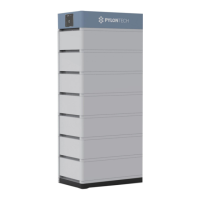
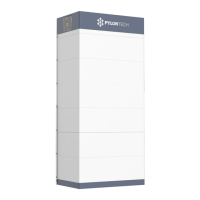
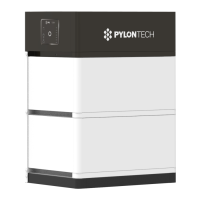
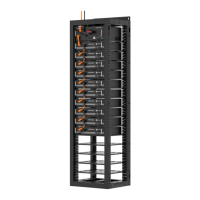
Lithium-Ion Phosphate Energy Storage System
Force-H1-V2 Operation Manual
Information Version: 22P1FH1018
5PMPA08-00135

Questions and Answers

  • E
    Edwin MartinAug 3, 2025
    Why is the status LED solid orange and battery module LED blue on my Pylontech Storage?
    • D
      David RamirezAug 3, 2025
      If the status LED is solid orange and the battery module LED is solid blue, this indicates a communication problem with the inverter or an overcurrent protection issue. Check the communication cable PIN and wiring for correct connections. Also, inspect the DC side for any issues and wait for the BMS to release the protection. In some cases, this could be due to controller failure, which may require further analysis using a debug tool or changing the controller module.
  • C
    Chase JacksonAug 7, 2025
    What to do if status LED is solid orange and battery module LED is orange on Pylontech Storage?
    • N
      Nathan DorseyAug 7, 2025
      A solid orange status LED accompanied by a solid orange battery module LED indicates over/under temperature or voltage protection issues. Check the environment temperature and DC charge voltage settings, and allow time for the BMS to release. If the problem persists, use the black start function and charge the system if under voltage protection is the cause. If it's a battery module BMS failure, further analysis with a debug tool or module replacement might be necessary.
  • P
    Pamela PattonAug 11, 2025
    How to fix Pylontech Storage with no power output and no LED lights?
    • K
      Kimberly MatthewsAug 11, 2025
      If there's no power output and no LEDs are lit on your Pylontech Storage, ensure you press the start button for at least 5 seconds to turn on, or 10 seconds for a black start. Check if the button battery in the controller is missing or has failed, and replace the controller module if needed. Also, verify that you have at least 3 battery modules installed, as the battery voltage might be too low. Lastly, inspect the base connector for any failures, ensuring it's properly connected or replacing it if necessary.
  • D
    Donna HernandezAug 15, 2025
    Why is the status LED slowly flashing orange after turning on Pylontech Storage?
    • T
      thomas12Aug 15, 2025
      If, after turning on your Pylontech Storage, the status LED slowly flashes orange while others are off, it suggests a self-checking failure. This can be caused by a DC voltage difference higher than 20V. Ensure there is no DC voltage or set the correct DC voltage before pressing the start button again, and then follow the correct turn-on process. Alternatively, this issue may indicate a BMS internal failure, which requires using a debug tool for further analysis or replacing the controller module.
  • G
    Greg SmithAug 20, 2025
    What to do if the status LED is fast flashing orange on my Pylontech Force-H1-V2?
    • J
      Jerry JohnsonAug 20, 2025
      A fast flashing orange status LED on your Pylontech Storage indicates that the time interval after the last black start was too short, or that the battery system is under an error condition. Wait more than 5 minutes before attempting another black start. Ensure there are no active protection factors such as temperature or current protection errors. If the problem persists, use a debug tool for further analysis.
  • J
    jennifer64Aug 25, 2025
    Why does the buzzer ring continuously on my Pylontech Force-H1-V2 Storage?
    • A
      Adriana SanchezAug 25, 2025
      If the buzzer on your Pylontech Storage rings continuously, it indicates relay adhesion or failure. Completely disconnect the battery system from any DC source and restart it. If the problem persists, swap the controller.
  • M
    Michael MooreAug 29, 2025
    Why are all the LEDs blue but there's no output from my Pylontech Force-H1-V2 Storage?
    • K
      Kristen WilsonAug 29, 2025
      If all LEDs are blue but there is no output from your Pylontech Storage, it suggests a blown fuse. Replace the controller module.

Summary

Safety

Safety Symbols and Warnings

Explains safety symbols, danger warnings, and precautions.

Pre-Connection and Usage Guidelines

Essential checks before connecting and rules for operating the system.

System Introduction and Specifications

Product Overview

Introduction to the Force-H1-V2 battery storage system.

Technical Specifications

Detailed specifications for the system, modules, and control unit.

Control Module and Indicators

Information on the control module display, LED indicators, and ports.

System Diagram and Connectivity

Visual system overview and details on communication interfaces.

Installation and Setup

Tools for Installation

Lists the necessary tools for installing the battery pack.

Safety Gear for Installation

Recommended personal protective equipment for installation.

Environment and Site Preparation

Checks for installation environment, cleaning, ventilation, grounding, and clearance.

Handling and Placement Procedures

Procedures for handling components and selecting installation sites.

Packing List

List of items included in the product package for installation.

Mounting and Component Installation

Steps for mounting the base, stacking modules, and installing brackets.

Cable Connections and Wiring

Instructions for grounding, power, and communication cable connections.

System Turn ON;OFF Procedures

Step-by-step guides for powering the system on and off.

System Debugging

Debugging Preparation and Inverter Integration

Initial steps and debugging the system with an inverter.

Maintenance and Component Replacement

Troubleshooting Common Issues

Identification and resolution of frequent problems.

Component Replacement Procedures

Step-by-step guides for replacing battery modules and control modules.

Routine Battery Maintenance

Periodic checks for voltage, SOC, cables, and balancing.

Capacity Expansion

Guidelines for adding new battery modules to the system.

Shipment and Annexes

Shipment Information

Pre-charge status, standards, and regulations for shipping.

Installation and Operation Checklists

Progress lists for system installation, turn-on, and turn-off.

Pylontech Force-H1-V2 Specifications

General IconGeneral
Nominal Voltage51.2V
ScalabilityUp to 16 units in parallel
CommunicationCAN, RS485
CertificationCE, UN38.3, IEC62619
Warranty10 years
Depth of Discharge (DoD)90%
Protection ClassIP20
Battery TypeLithium Iron Phosphate (LiFePO4)
Cycle Life6000 cycles
Operating Temperature-10°C to 50°C

Related product manuals