User Manual
Page: 10
7. Unsetting after an alarm
7.1 Using a PIN Code or Tag
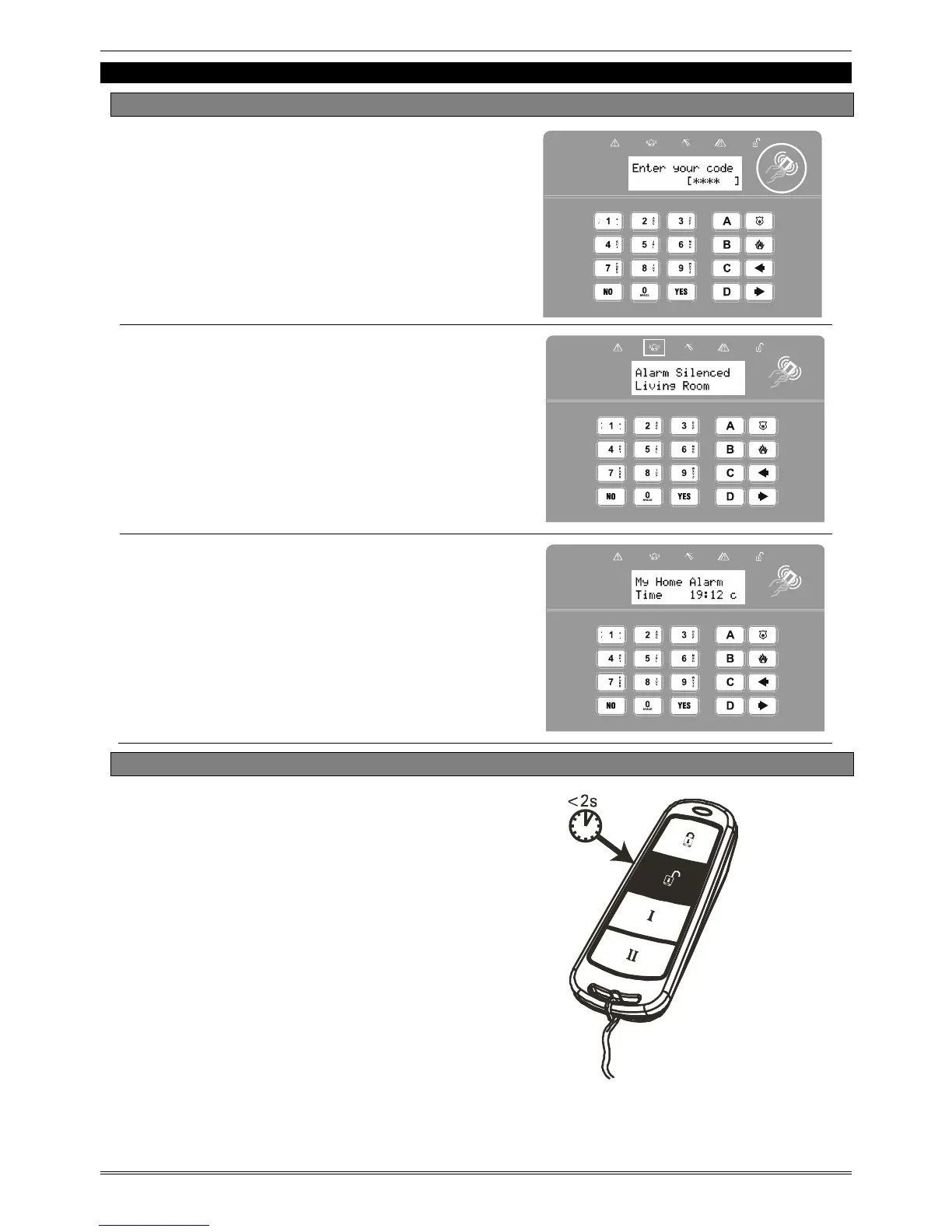
Enter a valid PIN code or present a valid
tag to the symbol as shown.
The alarm symbol will flash indicating
there has been an alarm activation and
the keypad will display which input has
activated.
Press
A to reset the system.
7.2 Using a Wireless Keyfob (KF4-WE)
NOTE: Unsetting with a keyfob will only
be allowed if your engineer has enabled
this.
To unset via a keyfob. Press
.
The keyfob LED will start to flash GREEN
indicating that the system has unset.
Resetting the system after an alarm can
only be done at the keypad.


 To Next Page
 Loading...