User Manual
Page: 16
13. Master Manager Menu
The Master Manager Menu has the following functions:
Function Description
Set Date and Time Programs the date and time.
Omit Inputs Omits any 24 inputs only (except Personal Attack inputs).
Change Codes Adds/Edits/Deletes User PIN codes, tags and keyfobs.
Review Logs Displays all event log information.
Phone Book Adds/Edits/Deletes SMS phone numbers if enabled.
Walk Test Tests each input.
Siren Test Tests each external sounder.
Start CHC SMS Update Sends a test call to the SMS station if SMS is being used.
Dial Out Menu Used for uploading/downloading.
Allow Engineer Menu Enables or Disables Engineer access.
Block Remote Set Blocks remote setting from the PC software.
Block UDL Blocks uploading/downloading from the PC software..
Exit Manager Mode Exits the Master Manager menu.
NOTE: The Master Manager code allows access to all the options above. A ‘user code’ has access to
the ‘User Menu’ which includes the functions: ‘CHANGE CODE', ‘REVIEW LOGS’, ‘ALLOW ENGINEER
MENU', and ‘EXIT USER MENU’.
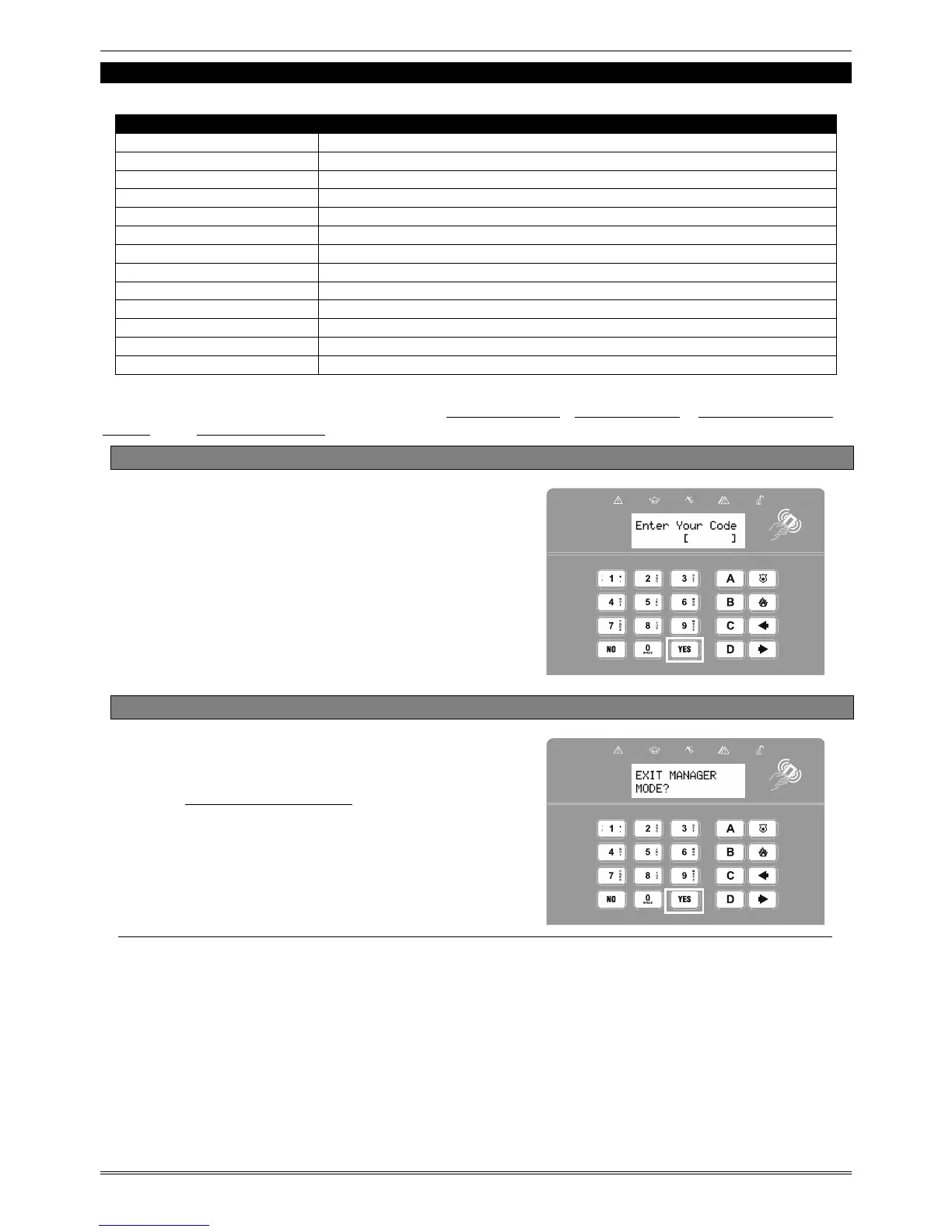
13.1 Entering the Master Manager Menu
Press D
.
Enter the Master Manager code or
present the Master Manager tag.
Press b or A to scroll through the
different functions mentioned above.
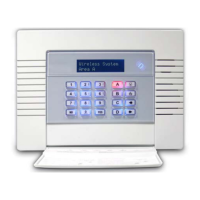
13.2 Exiting the Master Manager Menu
Press b or A keys to scroll through
until ‘EXIT MANAGER MODE' is displayed.
Press I.
Or, when a main menu item is displayed
(capital letters) press the
a key.








 To Next Page