Contents Page
Contents Page ..................................................................................................................... 2
1. Introduction .................................................................................................................... 4
2. The Setting Devices .......................................................................................................... 5
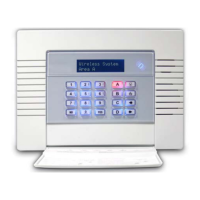
2.1 The Wireless Panel Keypad and Additional Keypads (EUR-068) ........................................... 5
2.2 The Internal Tag Reader (EUR-107) ................................................................................ 5
2.3 The External Tag Reader (EUR-108) ............................................................................... 5
3. The KF4-WE (Wireless Keyfob) ........................................................................................... 6
3.1 Locking the Keyfob ...................................................................................................... 6
3.2 Buttons ...................................................................................................................... 6
3.3 Quick Setting .............................................................................................................. 6
4. Using Predictive Text ........................................................................................................ 7
5. Setting The System .......................................................................................................... 8
5.1 Using a PIN Code or Tag ............................................................................................... 8
5.2 Using the Wireless KEyfob (KF4-WE) .............................................................................. 8
6. Unsetting The System ....................................................................................................... 9
6.1 Using a PIN Code or Tag ............................................................................................... 9
6.2 Using a Wireless Keyfob (KF4-WE) ................................................................................. 9
7. Unsetting after an alarm.................................................................................................. 10
7.1 Using a PIN Code or Tag ............................................................................................. 10
7.2 Using a Wireless Keyfob (KF4-WE) ............................................................................... 10
8. Using an Tag Reader ....................................................................................................... 11
8.1 Setting and Unsetting ................................................................................................. 11
8.2 Entry Control............................................................................................................. 11
9. Anti Code / Engineer Restore Facility ................................................................................. 12
9.1 Anti-Code ................................................................................................................. 12
9.2 Engineer Reset .......................................................................................................... 12
10. Intelligent Setting ......................................................................................................... 13
11. Fault Indications / Unable To Set .................................................................................... 14
11.1 Fault Indications ...................................................................................................... 14
11.2 Unable to Set .......................................................................................................... 14
11.3 Keyfob Fault Indications ............................................................................................ 14
12. Advanced Functions ...................................................................................................... 15
12.1 Chime Feature ......................................................................................................... 15
12.2 Omitting Inputs ....................................................................................................... 15
12.3 Keypad Hold Up ....................................................................................................... 15
13. Master Manager Menu ................................................................................................... 16
13.1 Entering the Master Manager Menu ............................................................................. 16
13.2 Exiting the Master Manager Menu ............................................................................... 16
13.3 Set Date and Time ................................................................................................... 17









 To Next Page