PCX 256 USER MANUAL
Page: 10 RINS867-2
D
C
B
A
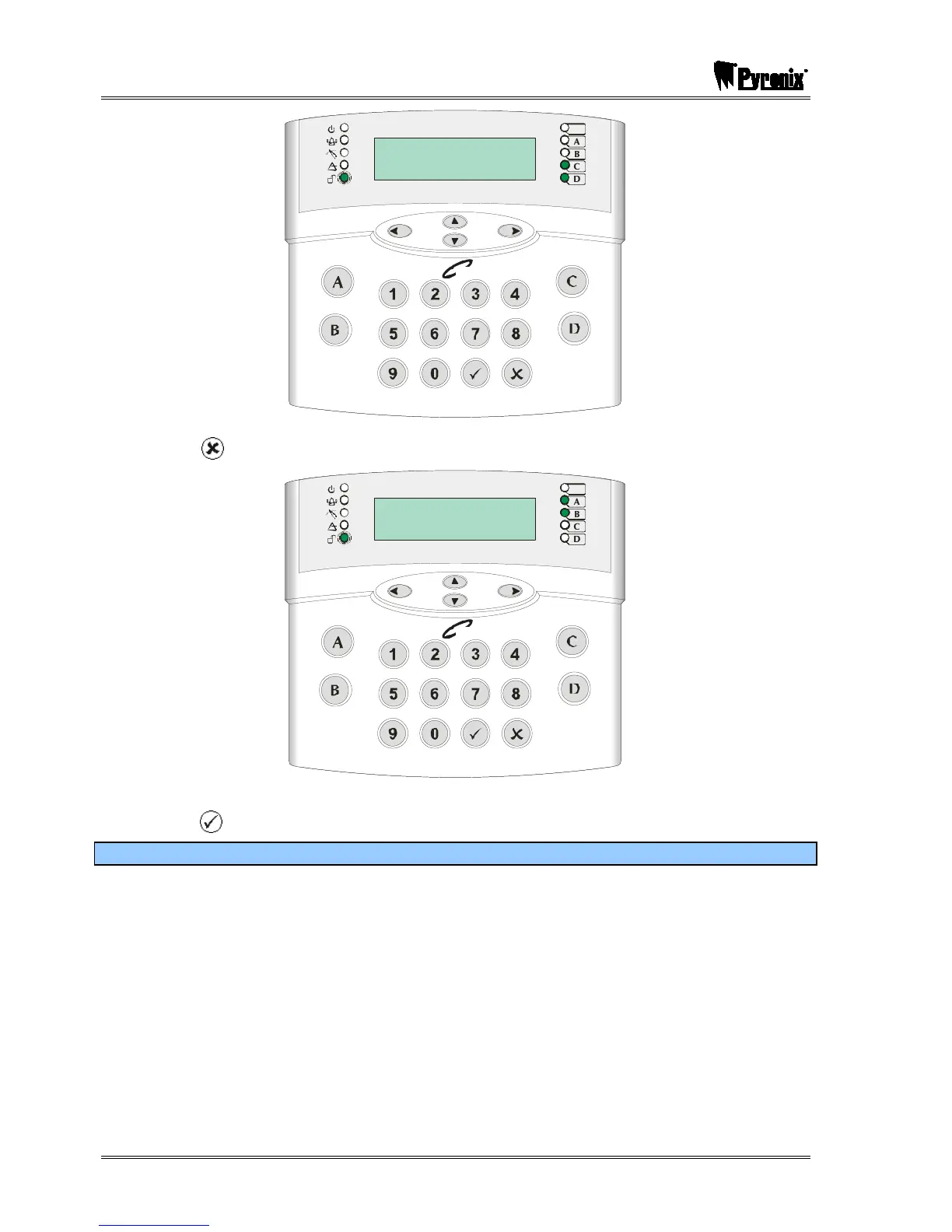
Arm Partition?
(0123456789 CD)
Tag
,/+.
JKL
ABC
MNO
DEF
PQRS
GHI
TUV
WXYZ
SPACE
2. Press the key. The system will ask which of the armed partitions you wish to disarm:
D
C
B
A
Disarm Partition?
( AB )
Tag
,/+.
JKL
ABC
MNO
DEF
PQRS
GHI
TUV
WXYZ
SPACE
3. Use the numeric and the ¤,¦,§,© keys to select the partition(s) you wish to disarm and
press the key. The system will disarm those partitions.
2.1.5 Arming Partitions with Partitions Already Armed
If for example partitions A and B are already armed, and you would like to arm partitions C and D,
you will do the following:
1. Enter your user code or present your card, the display will show which partitions are available
to arm (partitions A and B are already armed):







 To Next Page